

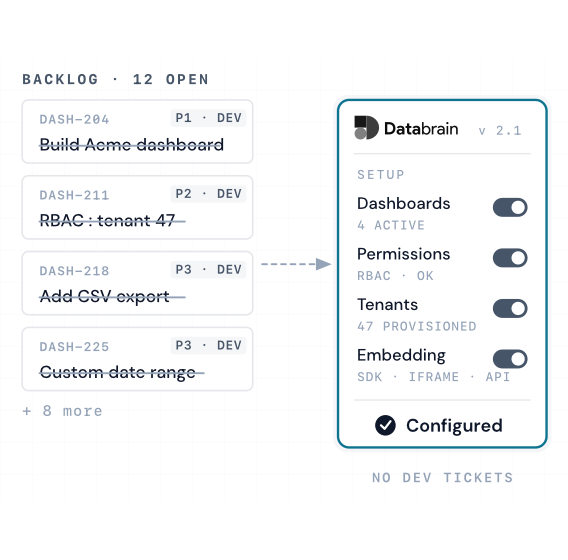
Embedded analytics has shifted from a nice-to-have reporting layer to a core product capability. Buyers now expect real-time visibility, self-serve exploration, and role-based insights inside the same application where they do their work. When that experience is missing, teams fall back to exports, standalone BI tools, and slow decision loops that degrade adoption, weaken retention, and make it harder to justify premium pricing.
This guide explains embedded analytics from first principles, then maps it to practical decisions: what it is, how it differs from standalone BI, the concrete business outcomes it drives, and the criteria that matter when selecting a platform. It also covers the build vs buy trade-off with realistic timelines and costs, and outlines how AI is changing embedded analytics from descriptive dashboards to predictive and prescriptive workflows that teams can act on immediately.
After reading, you will be confident in:
- Defining embedded analytics clearly and explaining why it matters to revenue, retention, and competitive wins.
- Identifying the highest-impact use cases for your product (customer-facing, internal operations, or hybrid) and prioritizing a phase-one rollout.
- Translating business requirements into technical requirements, including multi-tenancy, row-level security, white-labeling, latency, governance, and developer experience.
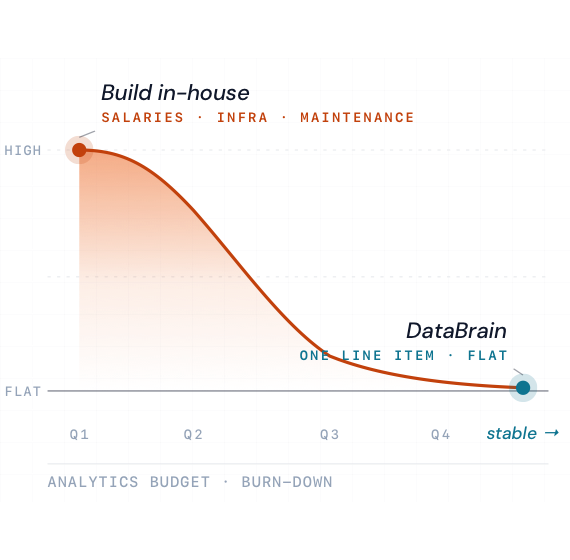
- Evaluating build vs buy with a total-cost and time-to-market lens, and knowing when building is justified.
- Using a structured decision framework to shortlist platforms and run a proof-of-concept that reflects your real data, real users, and real constraints.
- Understanding the 2026 trajectory, including agentic analytics, semantic layers for accurate natural language, and real-time streaming analytics, plus what to prepare now to avoid rework later.
What Is Embedded Analytics?
Core Definition
Direct definition:
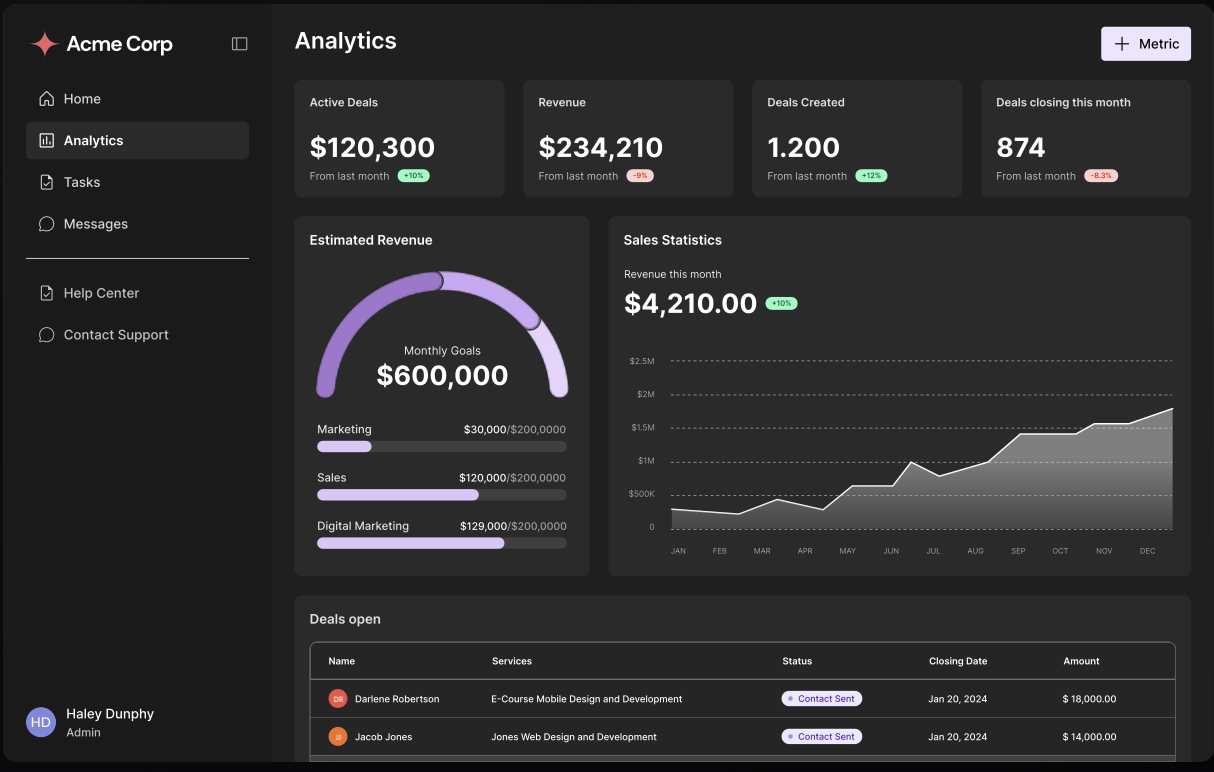
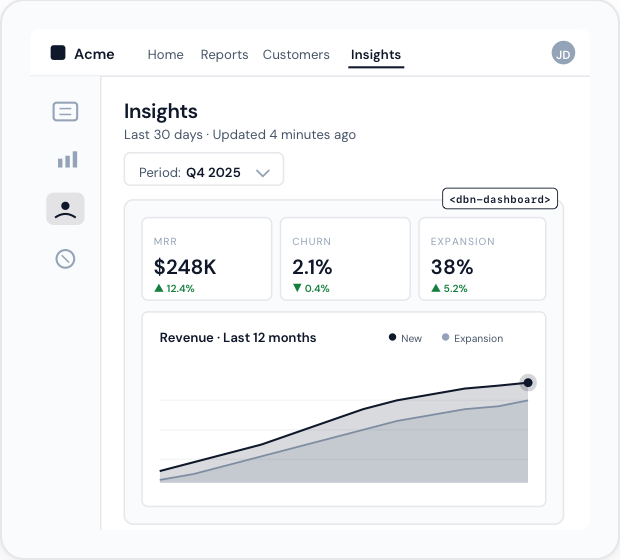
Embedded analytics is the practice of integrating dashboards, reports, and data-powered experiences directly into a software application or digital product so that users can see and act on insights without leaving the tool they already use.
Instead of:
Exporting CSV → Opening BI tool → Building report → Sharing PDF → Waiting for action,
embedded analytics puts:
The right metric → In front of the right user → At the right moment → In the same interface where they act.
Embedded Analytics vs Standalone BI
Real-World Examples
Example 1 – Customer-Facing Analytics (SaaS):
A billing platform embeds dashboards showing invoice status, DSO (days sales outstanding), and payment trends inside the customer portal. Finance teams no longer pull weekly exports; instead, they log into the same portal they use for billing and see real-time KPIs, drill into slow-paying customers, and forecast cash flow.
Example 2 – Internal Analytics (Ops Platform):
A field service management SaaS embeds technician performance dashboards into the dispatcher console. Dispatchers see live completion rates, SLA breach risk, and travel time inefficiencies without leaving their scheduling screen, and can reassign jobs on the fly.
Why Embedded Analytics Matters in 2026
The Core Problem It Solves
Traditional analytics is slow, fragmented, and underutilized:
- Data lives in data warehouses, CRMs, ERPs, product databases.
- Analysts build dashboards in BI tools.
- Business users see snapshots hours or days later.
- Action happens even later—if at all.
Decision latency is often 24–48 hours or more.
Embedded analytics compresses this to seconds by:
- Collocating insights with the workflow.
- Aligning metrics with specific roles and decisions.
- Eliminating export → analyze → interpret → share cycles.
Key Market Forces
- Data Everywhere, Insight Nowhere
Most companies are data‐rich, insight‐poor. They collect terabytes of data but have low utilization because access and interpretation are bottlenecks. Embedding analytics directly where decisions happen removes those bottlenecks. - Customer Expectations Have Shifted
Modern buyers expect visibility into their own usage, performance, and ROI. If your application doesn’t provide it, they assume your competitor’s product will. - Revenue and Retention Depend on It
Analytics features are no longer “nice to have.” They drive perceived product value, justify premium pricing, and correlate directly with retention. Customers using analytics features are consistently more engaged and less likely to churn.
Nine Key Benefits of Embedded Analytics
1. Real-Time Decision-Making
Direct answer:
Embedded analytics cuts decision time from days to seconds by delivering real-time insights exactly where decisions are made, so teams can act on live data instead of stale reports.
Why it matters:
In competitive markets, speed of response often decides winners. If it takes days to see and act on a trend your competitor responds to in hours, you lose deals, margin, or both.
Mechanism:
- Connects directly to live data sources (product DB, event streams, warehouses).
- Shows up-to-date metrics in the UI users already use.
- Eliminates manual data pulls and report-building cycles.
- Eliminates dependency on analysts for every new question.
Business impact:
- Faster reactions to anomalies (e.g., drop in usage, spike in errors).
- Lower churn (proactive outreach, not reactive firefighting).
- Higher operational efficiency (real-time resource allocation).
Example:
A SaaS company embeds churn-risk indicators into the customer success dashboard. CSMs see a red flag as soon as product usage drops below a threshold and trigger playbooks (emails, calls, success plans) the same day, not at the end of the quarter.
2. Increased Productivity & Efficiency
Direct answer:
Embedded analytics drastically reduces time spent searching, exporting, and reconciling data, freeing teams to focus on decisions and execution rather than manual reporting.
Why it matters:
For many teams, 50–70% of “analytics time” is spent on logistics—finding data, cleaning it, moving it between tools—not on thinking. Embedded analytics removes most of this overhead.
Mechanism:
- No more context switching between app → BI tool → spreadsheet.
- Prebuilt dashboards for core workflows eliminate repetitive report building.
- Self-service filters and drill-downs replace ad hoc analyst requests.
Business impact:
- Fewer tools to maintain and learn.
- Reduced load on data/BI teams.
- More time spent on strategy and experimentation.
Example:
Product managers who previously waited 2–3 days for new reports now explore feature adoption, cohort retention, and experiment results on their own, within the product analytics section of the same app they use to manage roadmap and tickets.
3. Higher User Adoption & Engagement
Direct answer:
Embedding analytics directly into existing workflows increases adoption dramatically because users don’t need to learn or remember another tool; insights simply appear where they are already working.
Why it matters:
Analytics that nobody uses has zero value. Adoption is a function of friction. When analytics is one more tool with one more login, most users will revert to intuition or spreadsheets.
Mechanism:
- Match analytics surfaces to user roles and tasks.
- Place charts and KPIs next to the actions they influence.
- Offer “click to explore more” rather than sending users to another system.
Business impact:
- Higher feature adoption (analytics features and related product features).
- Better decision quality across the org.
- More consistent, data-driven culture.
Example:
In a CRM, sales reps see a small embedded panel highlighting which opportunities are most likely to close this week, based on embedded analytics. They don’t open a separate BI tool; they just work their list inside the CRM.
4. Competitive Differentiation
Direct answer:
Embedded analytics creates a visible, defensible product differentiator by offering customers insight and transparency that competitors lack.
Why it matters:
In crowded SaaS markets, “yet another tool” is hard to sell. Products that show real-time ROI and operational insight win more evaluations and renewals.
Mechanism:
- You turn your product from a “system of record” into a “system of insight.”
- Prospects see value during the demo (not after months of usage).
- Customers use your product to produce executive-ready views.
Business impact:
- Higher win rates in competitive deals.
- Stronger renewal justification.
- More upsell opportunities (advanced analytics tiers).
Example:
Two HR platforms offer similar core features, but one provides embedded diversity, attrition risk, and talent pipeline analytics. HR leaders choose it because it helps them answer board-level questions instantly.
5. New Revenue Streams & Price Premiums
Direct answer:
Embedded analytics allows you to monetize data directly—through premium tiers, add-on analytics packages, and data-as-a-service offerings—often increasing ARPU and total revenue by double digits.
Monetization paths:
- Analytics-only premium tier (e.g., “Pro Analytics,” “Insights+”).
- Usage-based analytics (charge per active analytics user or dashboard).
- Benchmarking and industry reports (especially with multi-tenant aggregates).
- Custom analytics services (consulting and implementation).
Business impact:
- Higher LTV per customer.
- More upsell levers for sales.
- Stronger positioning as a strategic, not tactical, tool.
Example:
A payments platform introduces a “Revenue Insights” add-on with cohort LTV, churn prediction, and pricing sensitivity dashboards. 30% of customers upgrade within a year, driving meaningful ARR expansion.
6. Better User Experience & Satisfaction
Direct answer:
Embedded analytics improves UX by giving users context-aware insights and recommendations, reducing cognitive load and making the product feel “smart” rather than passive.
Why it matters:
Users don’t want raw data—they want clarity. The more your product anticipates their questions and surfaces answers, the more “magical” it feels.
Mechanism:
- Inline metrics near actions (e.g., “send campaign” button shows expected impact).
- Guided exploration (tooltips, recommended views, narrative explanations).
- Role-based layouts that hide irrelevant information.
Business impact:
- Higher NPS and CSAT.
- Lower support volume (“where do I find…?”).
- Stronger preference for your product in renewals and expansions.
Example:
A marketing automation platform shows a small insight box above the campaign editor: “Similar campaigns with this audience performed 23% better when sent between 7–9 am local time.” This embedded insight drives both satisfaction and results.
7. Faster Time to Market (vs Building Your Own)
Direct answer:
Using a modern embedded analytics platform gets you enterprise-grade analytics features in weeks instead of the 12–18 months required to build them yourself.
Mechanism:
- Vendor provides the rendering engine, multi-tenancy, security, and scaling.
- You focus on integrating data and designing experiences.
- No need to hire a specialized analytics engineering team.
Business impact:
- Ship analytics features this quarter, not next year.
- Win deals that require analytics to be in place.
- Free your engineering team to focus on core product differentiation.
8. Seamless Scalability
Direct answer:
Embedded analytics platforms are built to scale automatically as your customer base and data volume grow, so you don’t need to re-architect custom dashboards every time you 5x your users.
Mechanism:
- Multi-tenant architecture with role- and row-level security.
- Horizontal scaling of compute and storage.
- Centralized configuration of dashboards and metrics.
Business impact:
- Predictable performance at scale.
- Lower infrastructure and maintenance cost.
- No surprises when enterprise customers onboard thousands of users.
9. Stronger Governance, Security & Compliance
Direct answer:
Embedded analytics centralizes data access, governance, and compliance instead of scattering logic across ad hoc reports and rogue spreadsheets.
Mechanism:
- Consistent metric definitions (single source of truth).
- Role- and row-level security enforced by the platform.
- Audit logs, data residency, and compliance certifications (SOC 2, ISO, etc.).
Business impact:
- Reduced security and compliance risk.
- Fewer conflicting “truths” about key metrics.
- Easier enterprise sales cycles (security reviews pass faster).
Key Features to Look For in an Embedded Analytics Platform
Customization & White-Labeling
You need to make analytics feel native to your product.
Must-haves:
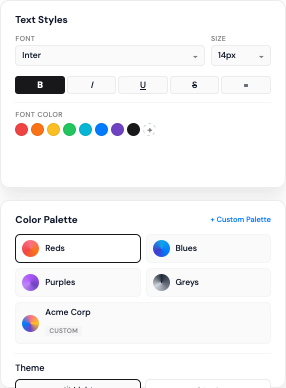
- Full control over branding (colors, typography, logos).
- Configurable layouts that can match your UI patterns.
- Ability to hide any vendor branding.
- Localization/internationalization support.
Why it matters:
Customers shouldn’t feel like they’re “dropping into another tool.” White-labeled, native-feeling analytics increase perceived product quality and trust.
Real-Time & Near Real-Time Data Support
Questions to ask:
- Does it support streaming/event data as well as batch?
- How frequently can dashboards refresh—seconds, minutes, hours?
- Can we selectively choose which metrics must be real-time?
For many SaaS use cases, near real-time (e.g., updates every 30–60 seconds) is sufficient. For operational and monitoring use cases, sub-second updates might be necessary.
Rich Visualization & Exploration
Look for:
- A wide range of chart types (time series, bar, line, pie, scatter, heatmaps, funnels, cohorts, maps, etc.).
- Interactive features: drill-down, cross-filtering, brushing, tooltips.
- Responsive layouts for different devices and embed contexts.
Your goal is to empower non-technical users to understand complex data at a glance and explore further if needed.
Multi-Tenancy & Access Control
Critical for SaaS:
- Tenant isolation: each customer sees only their data.
- Role-based access: admins vs regular users within each tenant.
- Row-level security for fine-grained control.
Ask specifically:
- How do you model tenants?
- How do you enforce isolation (at query, row, or schema level)?
- How do you manage per-tenant configuration at scale?
Security & Compliance
Especially important if you serve regulated industries.
Look for:
- SOC 2 Type II, ISO 27001, and relevant privacy compliance (GDPR, CCPA).
- Encryption in transit and at rest (TLS, AES-256).
- Comprehensive audit logging.
- Data residency options if needed.
Developer Experience & Integrations
Your engineers must be able to integrate quickly and confidently.
Check for:
- Well-documented REST APIs and SDKs.
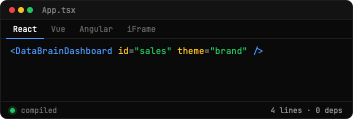
- JS/React/Vue components for front-end integration.
- Backend integrations with your data warehouse and transactional DBs.
- Webhooks for change events.
The better the DX, the faster your time to market and the lower your ongoing maintenance burden.
Embedded Analytics vs Traditional BI: When to Use Which
Use Embedded Analytics When:
- You want analytics inside your own product.
- Your primary users are customers or non-technical business users.
- Time-to-market for analytics is critical.
- You need to monetize analytics as part of your product.
Use Traditional BI When:
- You’re doing internal, cross-functional reporting.
- Your users are analysts, finance, or BI teams.
- You require ad hoc modeling and SQL-heavy exploration.
- You already have strong BI adoption and processes.
In practice, most mature organizations use both:
- Traditional BI for internal, cross-domain reporting.
- Embedded analytics for customer-facing and workflow-embedded contexts.
Build vs. Buy for Embedded Analytics
Building In-House
Pros:
- Full control over UX, architecture, and stack.
- Tailored exactly to your needs—if you know them well.
Cons:
- 12–18 months to MVP in most realistic cases.
- High engineering opportunity cost.
- Hard to get right: multi-tenancy, security, performance, governance.
- Ongoing maintenance and feature parity demands.
Hidden risks:
- Analytics UX is its own discipline.
- Internal priorities shift; analytics stagnates.
- New customer requirements force significant rework.
Buying a Purpose-Built Embedded Analytics Platform
Pros:
- Time-to-market in weeks, not years.
- Built-in multi-tenancy, security, governance.
- Battle-tested at scale across many customers.
- Vendor roadmap continuously adds features.
Cons:
- Licensing cost (but typically far below in-house total cost).
- Some constraints vs totally custom builds.
- Need to vet vendor’s reliability and roadmap.
Decision Factors
Ask:
- How central is analytics to our product differentiation?
- Do we have the in-house expertise to build and maintain an analytics engine?
- What is our timeline and budget tolerance?
- Will delayed analytics put us at risk in competitive deals?
For most SaaS companies, buying is the correct default. Building is justified only if analytics itself is your product and you have both the capital and expertise to treat it as a product line.
What to Prepare Before Embedding Analytics
Data Readiness
- Map your key data sources (product DB, billing, CRM, support, etc.).
- Define core entities: users, accounts, events, transactions.
- Ensure identifiers allow linking across systems.
Metric Definitions
Design a metrics dictionary:
- What is an “active user”? 7-day? 30-day? Product-specific?
- What is “churn”? Account-level? Seat-level? Invoice-level?
- How do you measure adoption, engagement, and success?
Codify these before implementation to avoid downstream confusion.
Use Case Prioritization
Start with 3–5 high-value use cases:
- Executive: health of customer base, ARR trends, churn risk.
- Customer: usage reports, ROI dashboards, KPIs they care about.
- Operations: SLAs, performance metrics, incident/issue analytics.
Don’t try to build “all analytics for everyone” in phase 1. Focus on value.
The Role of AI in Embedded Analytics
The fundamental shift
Traditional embedded analytics helps users understand the past: what happened, why it happened, and what changed over time.
AI expands that value by adding two forward-looking capabilities:
- Predictive: What is likely to happen next (forecasting outcomes)
- Prescriptive: What to do about it (recommended actions)
The result is a move from retrospective dashboards to analytics that guides decisions in real time.
How AI Works in Embedded Analytics
Most AI-driven embedded analytics can be understood as three capability layers.
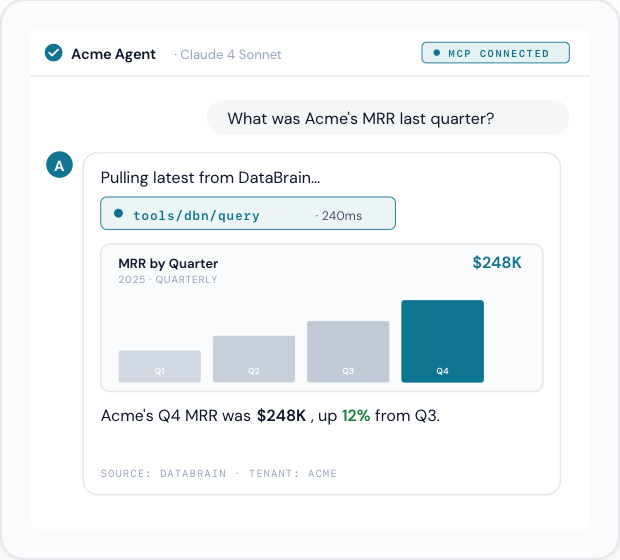
Layer 1: Natural language access
What it solves: Analytics adoption is often limited because users must learn navigation, dashboards, and data concepts.
What AI enables: Users ask questions in plain English, and the system translates them into the right metrics and filters.
Example (Finance):
User: “Which customers have revenue growth above 30% but haven’t upgraded their plan in 6 months?”
System: selects the right metrics, applies filters, returns a ranked customer list, and highlights the top upgrade opportunities.
Business impact:
- More self-serve analytics for non-technical users
- Faster time to insight
- Higher feature adoption
- Lower support load
Layer 2: Predictive intelligence
What it solves: Traditional analytics is reactive. By the time a trend appears on a dashboard, the window to act may already be closing.
What AI enables: Early warning systems that surface risks and opportunities before they become costly.
Common use cases:
- Churn prediction: Risk scores, key drivers, and recommended interventions embedded into CS workflows
- Anomaly detection: Detect unusual spikes or drops (errors, usage, spend) and alert teams with context
- Forecasting: Predict revenue, demand, capacity needs, and seasonality to support planning
Business impact:
- Earlier intervention on churn and expansion opportunities
- Fewer customer-facing incidents through proactive detection
- More reliable planning for finance, ops, and product
Layer 3: Prescriptive recommendations
What it solves: Data alone does not tell teams what to do next.
What AI enables: Action guidance based on patterns from similar accounts, deals, and historical outcomes.
Examples:
- Sales: Next-best actions, recommended timelines, and proven steps that improve win rates
- Customer success: Suggested playbooks for re-engagement, onboarding, training, or upsell triggers
Business impact:
- Faster execution with less manual analysis
- Better prioritization across accounts and opportunities
- More consistent outcomes across teams
Implementation reality: start simple, scale up
You do not need complex deep learning models to get meaningful value. Most teams succeed by shipping in stages:
- Rules-based alerts (weeks): thresholds and triggers for obvious risks
- Basic predictive models (months): churn scoring and forecasting with interpretable models
- Generative AI (later): natural language, summaries, and guided recommendations
- Advanced models (only when needed): after simpler approaches plateau
The success factor that matters most: workflow integration
AI fails when it lives in a separate dashboard. AI works when it is embedded where decisions happen.
Winning pattern:
- Insight appears inside the workflow (CRM, CS console, admin portal)
- Clear drivers are shown (why this is happening)
- Recommended actions are one click away (what to do next)
- Feedback loops improve accuracy over time
What AI does well and where it doesn’t
AI is strong at:
- Detecting patterns at scale
- Predicting outcomes with high accuracy when data quality is strong
- Ranking opportunities and recommending actions
- Explaining insights in plain language
AI still requires:
- Clear metric definitions and governance
- Clean, connected data
- Human oversight and escalation paths
- Ongoing monitoring to prevent model drift
How to Monetize Data with Embedded Analytics
Tiered Product Packaging
- Core product includes basic dashboards.
- Mid-tier includes advanced reports and some predictive insights.
- Top-tier includes full self-service, data exports, API access, and benchmarking.
Add-Ons & Professional Services
- Paid onboarding services that include custom dashboard design.
- Quarterly or annual analytics review workshops.
- Strategy engagements built around the embedded analytics.
Data-as-a-Service
If you operate at scale:
- Provide anonymized, aggregated industry benchmarks.
- Offer subscription access to these benchmarks for premium customers.
- Package periodic “State of X” reports powered by your aggregated data.
Embedded Analytics Tools: Competitive Landscape
Overview
The embedded analytics market includes three categories of vendors:
- Purpose-Built for SaaS – Platforms designed from the ground up for embedded analytics and multi-tenancy
- Enterprise BI with Embedding – Traditional BI platforms that added embedding capabilities
- Open-Source & Self-Hosted – Community-driven tools requiring significant infrastructure management
Below is a detailed breakdown of major platforms you should evaluate, with pros, cons, and use cases for each.
Purpose-Built SaaS Embedded Analytics Platforms
DataBrain
What it is:
DataBrain is a purpose-built embedded analytics platform designed specifically for SaaS companies. It focuses on fast implementation (days, not months), programmatic multi-tenancy via guest tokens, and transparent pricing.
Key characteristics:
- Multi-tenancy model: Guest token-based programmatic provisioning with zero per-tenant configuration
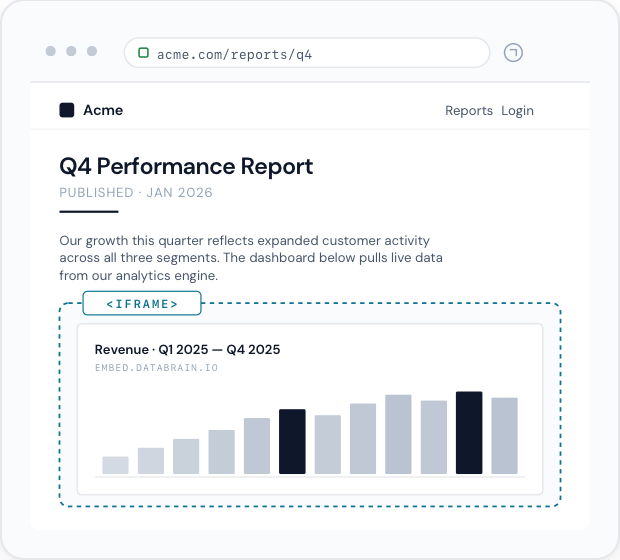
- Embedding approach: Native React/Vue SDK components; true DOM integration, not iFrames
- White-labeling: Complete customization to match your product's look and feel
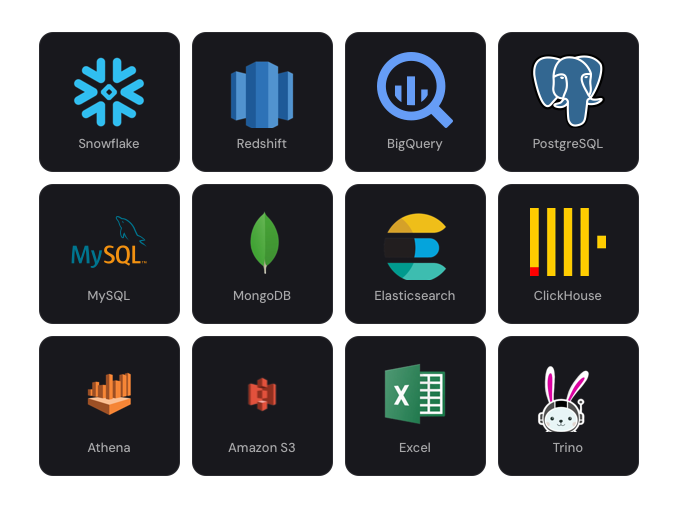
- Data connectivity: Direct integration with Snowflake, BigQuery, PostgreSQL, and other modern data warehouses
- AI features: Natural language queries, AI-assisted dashboards, and insights designed for non-technical users
Strengths:
- Fastest implementation time: 2–5 days to production for most SaaS teams
- Flat-rate pricing ($999–$1,995/month) with unlimited end-user viewers
- No per-user or per-dashboard fees; costs remain predictable as you scale
- Designed for rapid scaling of customer base (programmatic tenant provisioning)
- Excellent white-labeling and customization for customer-facing analytics
- AI features built for business users, not just analysts
Weaknesses:
- Smaller brand footprint compared to legacy enterprise vendors
- Simpler data modeling compared to advanced semantic layers
- Limited statistical functions compared to specialized analytics platforms
- Newer platform with smaller case study library
Best for:
- SaaS companies with 100–10,000+ customers
- Companies that need analytics embedded into their product in weeks
- Teams with limited analytics engineering resources
- Companies that want predictable, flat-rate pricing
Enterprise BI Platforms with Embedding Capabilities

GoodData
What it is:
GoodData is an enterprise-focused analytics platform with a strong history in BI and governance. It offers white-label, embedded analytics capabilities through multiple embedding methods and a sophisticated semantic modeling layer.
Key characteristics:
- Multi-tenancy model: Workspace-based architecture with strict tenant isolation
- Semantic layer: Logical Data Model (LDM) + MAQL language for complex metric definitions
- Embedding approaches: iFrame embedding, React SDK, and Web Components
- Data connectivity: Broad connector library; often requires dedicated data engineering
- Governance: Comprehensive access control, audit logging, and compliance features
Strengths:
- Enterprise-grade brand recognition and extensive case studies
- Robust workspace-based multi-tenancy with strong isolation
- Rich semantic layer (LDM) for complex data modeling and metric governance
- Advanced analytics: 50+ statistical functions, forecasting, clustering
- Comprehensive APIs for automation and programmatic workflows
- Established partner ecosystem
Weaknesses:
- Workspace-based pricing ($1,500+ platform fee + ~$20–$30 per workspace) scales unpredictably as tenant count grows
- Implementation timelines: typically 4–8 weeks before production
- Complex configuration for row-level security, workspace design, and authentication
- Requires dedicated BI/data engineering team for setup and maintenance
- Steep learning curve for semantic modeling and MAQL language
- Workspaces can create "sprawl" at scale (100+ workspaces becomes operationally heavy)
Best for:
- Large enterprises with strong BI teams and complex data architectures
- Organizations that need sophisticated semantic layers and governance
- Companies with 50–200 customer tenants (where workspace management is still manageable)
- Industries requiring strict compliance and audit controls
Learn more:
→ DataBrain vs GoodData detailed comparison
→ Best GoodData alternatives

Sisense
What it is:
Sisense is an enterprise analytics platform known for its ElastiCube in-memory engine, advanced data modeling, and three flexible multi-tenancy architectures. It combines powerful analytics with extensive customization options.
Key characteristics:
- Multi-tenancy models: Self-Contained (isolated), Multi-Instance (shared), or Internal Capabilities (cloud-agnostic)
- Data engine: ElastiCube in-memory technology for fast processing of complex, multi-source data
- Embedding approach: Compose SDK (code-first, component-based); full customization flexibility
- Data connectivity: Broad integrations; often requires data engineering for ElastiCube optimization
- Governance: Advanced role-based access control, audit trails, and compliance options
Strengths:
- Enterprise-proven platform (20+ years in BI; founded ~2004)
- ElastiCube technology: exceptional performance on complex, multi-source datasets
- Three flexible multi-tenancy approaches to match different deployment models
- Compose SDK: full code-first customization via React, Angular, Vue, or TypeScript
- 450+ REST API endpoints for comprehensive automation
- Advanced analytics: forecasting, clustering, regression, and statistical functions
- Extensive partner ecosystem and integrations
Weaknesses:
- Self-Contained (per-tenant) deployments become prohibitively expensive at scale (100 tenants = 100 deployments)
- Implementation timelines: 8–14+ weeks for most deployments
- Requires significant data engineering for ElastiCube optimization and maintenance
- Per-viewer or per-user licensing fees can add up quickly as your customer base grows
- Steep learning curve for ElastiCube modeling and Compose SDK development
- High operational overhead for multi-tenant deployments
Best for:
- Enterprises with complex, multi-source data environments
- Organizations with strong BI and data engineering teams
- Companies that need advanced analytics (forecasting, clustering, etc.)
- Internal BI + embedded analytics (hybrid use cases)
- Companies willing to invest 8–14+ weeks for implementation
Learn more:
→ DataBrain vs Sisense detailed comparison
→ Sisense pricing 2025: Why teams switch
→ Sisense alternatives

Tableau (Salesforce)
What it is:
Tableau is one of the most popular data visualization and BI platforms globally. While primarily designed for internal BI, it offers embedding capabilities for dashboards and analytics.
Key characteristics:
- Visualization strength: Best-in-class interactive visualizations and dashboard authoring
- Data connectivity: Broad connector library; works with virtually any data source
- Embedding: iFrame embedding and Tableau Public for web embedding; limited programmatic options
- Server versions: Tableau Server (self-hosted) and Tableau Online (cloud)
- Governance: Permissions-based access control; simpler than semantic-layer platforms
Strengths:
- Best-in-class visualization capabilities and dashboard aesthetics
- Extremely intuitive drag-and-drop interface for business users
- Large user community with extensive resources and training
- Strong brand recognition
- Works across virtually all data sources and scales to large organizations
- Excellent for internal BI and self-service analytics
Weaknesses:
- Embedding capabilities are limited; iFrame approach constrains deep integration
- Per-user licensing (high cost when embedding for many end users)
- Not purpose-built for SaaS multi-tenancy; requires workarounds for tenant isolation
- Implementation can take weeks; operational overhead if self-hosted
- Less suitable for customer-facing analytics (licensing model doesn't fit)
- Viewer licensing adds per-user costs that scale with your customer base
Best for:
- Organizations that prioritize visualization quality and user experience
- Internal BI and self-service analytics (not primarily customer-facing)
- Companies already deeply invested in the Salesforce ecosystem
- Teams with limited data engineering needs (high self-service adoption)
Learn more:
→ Best Tableau alternatives
→ The Detailed Comparison: Databrain Vs Tableau
→ The Detailed Comparison: Tableau vs Power-BI
→ Detailed Walkthrough Tableau Embedded Pricing

Microsoft Power BI
What it is:
Power BI is Microsoft's cloud-based BI and analytics platform, tightly integrated with Azure and the Microsoft ecosystem. It offers relatively affordable per-user licensing and embedding options.
Key characteristics:
- Integration: Seamless integration with Microsoft 365, Azure, and Dynamics 365
- Data models: DAX language for calculations; Power Query for data transformation
- Embedding: Premium licensing required; iFrame and Power BI Embedded for SaaS
- Governance: Azure AD integration; role-based access control
- Pricing: Per-user or Power BI Embedded model (pay per capacity unit)
Strengths:
- Cost-effective for organizations already on Microsoft 365
- Excellent integration with Excel, Teams, and Azure services
- Large and active user community
- Relatively simple interface for business users
- Power BI Embedded provides multi-tenant analytics capabilities
- Includes AI features (Q&A, key influencers, decomposition tree)
Weaknesses:
- Embedding (Power BI Embedded) requires significant technical setup and configuration
- Per-user licensing still adds cost in customer-facing scenarios
- Less sophisticated data modeling compared to GoodData or Sisense
- Visualization capabilities not as rich as Tableau
- Multi-tenancy support is not as mature as purpose-built platforms
- Lock-in to Microsoft ecosystem
Best for:
- Organizations already deeply invested in Microsoft 365 and Azure
- Companies that want affordable per-user BI
- Organizations with strong Power BI communities
- Internal BI combined with some embedded analytics
Learn more:
→ Best Power Bi Embedded alternatives
→ The Detailed Walkthrough Power BI Embedded Pricing

Looker (Google Cloud)
What it is:
Looker is a data exploration and embedded analytics platform now owned by Google. It combines a semantic modeling layer ("Looks") with strong embedding and white-label capabilities.
Key characteristics:
- Semantic layer: LookML for centralized metric definitions and business logic
- Embedding: Iframe embedding and Looker SDK for code-first development
- Data connectivity: Best for Bigquery but supports broad connectors via Looker Blocks
- Governance: Role-based access control; audit logging
- Multi-tenancy: Content-based multitenancy (not tenant-isolated by default)
Strengths:
- Strong semantic layer (LookML) for centralized metric governance
- Excellent for Google Cloud customers and BigQuery users
- Good white-label and embedding capabilities
- Extensive partner ecosystem and pre-built data blocks
- Strong for both internal and customer-facing analytics
Weaknesses:
- Learning curve for LookML development (similar to GoodData's semantic layer)
- Per-user licensing; embedding at scale can become expensive
- Requires significant data modeling upfront
- Google Cloud lock-in (though cross-cloud options exist)
- Multi-tenancy is not as robust as workspace-based systems
- Implementation timelines: 4–8 weeks typical
Best for:
- Organizations using Google Cloud and BigQuery
- Companies that want strong semantic layer governance
- Organizations that need both internal BI and embedded analytics
- Teams willing to invest in LookML development
Learn more:
→ Looker alternatives
→ The Detailed Comparison: Databrain Vs Looker Embedded
Open-Source & Self-Hosted Platforms

Metabase
What it is:
Metabase is an open-source, easy-to-use analytics and dashboarding tool that requires minimal setup and runs on your own infrastructure.
Key characteristics:
- Deployment: Self-hosted (Docker, Heroku, or managed Metabase Cloud)
- Data connectivity: Broad SQL database support; no proprietary modeling required
- Interface: Simple, intuitive interface designed for non-technical users
- Embedding: iFrame embedding available; limited programmatic options
- Licensing: Open-source (free) or Metabase Cloud (managed SaaS)
Strengths:
- Very low cost (free if self-hosted)
- Easy to get started; simple, intuitive interface
- No licensing per user or viewer
- Great for internal BI and quick analytics projects
- Strong community support and active development
- Works with any SQL database
Weaknesses:
- Self-hosted requires DevOps/infrastructure knowledge
- Limited embedding capabilities for SaaS use cases
- Not designed for multi-tenant customer-facing analytics
- No semantic layer or advanced governance
- iFrame-based embedding constrains deep integration
- Limited white-labeling options
- Can become expensive if you choose managed Metabase Cloud at scale
Best for:
- Organizations with strong DevOps/infrastructure capabilities
- Internal BI and team analytics (not customer-facing)
- Cost-conscious companies that can manage self-hosted infrastructure
- Quick analytics projects where time-to-insight is critical
Learn more:
Check your blog for Metabase alternatives or open-source comparisons.
Learn more:
→ Best Metabase alternatives
→ The Detailed Walkthrough: Metabase pricing

Apache Superset
What it is:
Apache Superset (formerly Airbnb's Caravel) is an open-source modern data visualization and analytics platform designed for self-service analytics.
Key characteristics:
- Deployment: Self-hosted; requires significant infrastructure management
- Visualization: Modern, interactive visualizations and dashboards
- Data connectivity: SQL-based queries against data warehouses or databases
- Embedding: Limited embedding capabilities
- Governance: Basic role-based access control
Strengths:
- Completely open-source and free
- Modern visualization engine and dashboard interface
- Flexible and extensible for custom development
- Works with modern data stacks (Snowflake, BigQuery, etc.)
- Active open-source community
Weaknesses:
- Requires significant DevOps and infrastructure expertise to self-host and maintain
- Limited embedding and white-labeling capabilities
- No multi-tenancy support (would require custom development)
- Not designed for customer-facing analytics
- Limited governance and audit controls
- Steep learning curve for customization
- Support is community-driven (no commercial support by default)
Best for:
- Organizations with strong engineering and DevOps teams
- Internal analytics teams comfortable with open-source tools
- Companies that need extreme customization and control
- Not suitable for SaaS companies needing embedded customer-facing analytics
Learn more:
→ Apache Superset alternatives
→ The Detailed Comparison: Databrain Vs Apache Superset

Thoughtspot
What it is:
Thoughtspot is an AI-driven analytics platform that emphasizes conversational search and discovery. It combines BI and embedded analytics in a single platform.
Key characteristics:
- AI emphasis: Natural language search ("conversational analytics") is core to the product
- Data modeling: Semantic models via "Worksheets" and "Pinboards"
- Embedding: Strong embedding capabilities via embedding SDK
- Multi-tenancy: Available for cloud deployments
- Governance: Role-based access control and audit trails
Strengths:
- AI-first approach with strong natural language search capabilities
- User-friendly interface; minimal training required
- Strong embedding capabilities for customer-facing analytics
- Scales well for both internal and external analytics
- Good for organizations prioritizing AI and discovery
Weaknesses:
- Higher pricing compared to some alternatives
- Implementation and customization require significant effort
- Semantic model complexity is non-trivial
- Not as well-known as Tableau or Power BI
- Support is primarily enterprise-focused (not SMB-friendly)
- Data modeling ("Worksheets") has a learning curve
Best for:
- Organizations that prioritize AI and conversational analytics
- Companies that need both internal and embedded customer-facing analytics
- Mid-market to enterprise organizations
- Companies with budgets for premium platforms
→ Best Thoughtspot Embedded alternatives
→ The Detailed Comparison: Databrain Vs Thoughspot Embedded
→ Detailed Walkthrough Thoughspot Embedded Analytics
Decision Framework: Choosing the Right Platform
Step 1: Identify Your Primary Use Case
Customer-facing analytics?
→ Priority: Multi-tenancy, embedding, white-labeling, fast implementation
→ Top choices: DataBrain, Sisense, GoodData, Thoughtspot
Internal BI + some embedding?
→ Priority: Ease of use, visualization, self-service, existing integrations
→ Top choices: Tableau, Power BI, Looker
Cost-first, internal only?
→ Priority: Low/no licensing cost, infrastructure control
→ Top choices: Metabase, Apache Superset
Step 2: Assess Your Team's Capabilities
Limited data engineering resources?
→ Avoid: Sisense, GoodData, Looker (require significant BI expertise)
→ Prefer: DataBrain (product engineers can implement)
Strong BI/data engineering team?
→ Can handle: Sisense, GoodData, Looker, Thoughtspot
DevOps-capable, infrastructure-comfortable?
→ Can handle: Metabase, Apache Superset (self-hosted)
Step 3: Evaluate Timeline & Budget
Need analytics in weeks?
→ Choose: DataBrain (2–5 days), Metabase (days), Apache Superset (days)
Can invest 2–3 months?
→ Choose: Tableau, Power BI, Looker (4–8 weeks typical)
Can invest 3+ months?
→ Choose: Sisense, GoodData, Thoughtspot (8–14 weeks typical)
Step 4: Assess Pricing Model Fit
Need unlimited end-user viewers without per-user fees?
→ Choose: DataBrain (flat-rate), Metabase, Apache Superset
Per-user licensing acceptable?
→ Can choose: Tableau, Power BI, Looker, Thoughtspot
Workspace/tenant-based pricing acceptable?
→ Can choose: GoodData, Sisense (depending on tenant count)
Key Takeaways for Your Decision
- For most SaaS companies: DataBrain offers the fastest time-to-market, simplest multi-tenancy model, and most predictable pricing. It is purpose-built for exactly what you need.
- For enterprises with BI teams: GoodData or Sisense provide more sophisticated governance and analytics capabilities, but require longer implementation and higher operational overhead.
- For visualization-first organizations: Tableau remains the best-in-class choice, but is less suitable for customer-facing SaaS embedding.
- For cost-conscious teams: Metabase (open-source, self-hosted) or Apache Superset are viable, but require DevOps capability and are not designed for multi-tenant customer-facing use.
- For AI-forward organizations: Thoughtspot emphasizes conversational analytics and discovery, making it a strong choice for organizations that want AI to be core to analytics.
Next Steps
- Narrow to 2–3 finalists based on your primary use case and constraints.
- Request demos from each finalist; ask specifically about your use case.
- Run a proof-of-concept (POC) with your real data and team to evaluate ease of implementation.
- Compare total cost of ownership over 3 years, including licensing, implementation, and operational overhead.
- Evaluate vendor roadmap and stability (especially for open-source options).
(Keep brand details generic if you don’t want to call out specific competitors.)
Common categories:
- Cloud-native embedded analytics platforms (multi-tenant, white-label friendly).
- Traditional BI with embedding capabilities (Looker, Tableau, Power BI).
- In-house visualization frameworks (where you build everything yourself).
When positioning your own product, emphasize:
- Time-to-value (weeks, not months).
- Multi-tenancy and white-label capabilities.
- AI/ML readiness.
- Integration with modern SaaS data stacks (like Snowflake, BigQuery, etc.).
Selecting the Right Platform: Decision Framework
Technical Criteria
- Data source compatibility.
- Latency and performance SLAs.
- Security/compliance requirements.
- Embedding model (iFrames vs JS SDK vs component-level integration).
Business Criteria
- Licensing model and scalability with your pricing model.
- Vendor stability and roadmap.
- Support model and responsiveness.
- Total cost of ownership over 3–5 years.
2026 Embedded Analytics Trends
Overview
The embedded analytics landscape is undergoing fundamental transformation. Rather than incremental feature improvements, 2026 marks a inflection point where embedded analytics moves from "nice-to-have" to "business-critical infrastructure." Three major forces are reshaping the industry: autonomous systems taking on decision-making roles, generative AI democratizing data access, and operational analytics moving into real-time streaming layers.
Understanding these trends isn't just about staying informed—it's about competitive survival. Organizations that embed tomorrow's capabilities today will have measurable advantages in speed, cost, and decision quality by year-end 2026.
Agentic Analytics—From Reactive Insight to Autonomous Action
The Shift
Traditional embedded analytics answers questions: "What happened?" or "Why did it happen?"
Agentic analytics answers a different question: "What should we do about it?" and then does it autonomously.
Unlike conversational AI assistants that wait for user prompts, agentic analytics systems monitor your business continuously, detect anomalies or opportunities, synthesize context, reason through trade-offs, and execute actions—all without human intervention.
What's changed in 2026:
- Gartner projects that 40% of enterprise applications will have task-specific AI agents by end of 2026 (vs. <5% in 2025)
- Organizations are shifting from "pilots and experiments" to "production-grade autonomous systems" embedded in core workflows
- Multi-agent orchestration (multiple specialized agents collaborating) is now standard, not novelty
Why It Matters for Embedded Analytics
Agentic analytics shifts the value proposition from "understand your data" to "automate your decisions." SaaS platforms embedding agentic capabilities will:
- Retain customers longer (core workflows depend on the platform)
- Justify premium pricing (autonomous decisions have ROI)
- Enable smaller teams to operate at larger scale (agents handle tedious decisions)
Implementation Consideration
Agentic analytics requires:
- Clear decision frameworks (what actions are agents authorized to take?)
- Robust data quality (garbage data → garbage decisions)
- Audit trails (why did the agent do this?)
- Human override capabilities (kill switches for critical decisions)
Generative Explanations & Semantic Layers—Making Analytics Accessible
The Shift
Natural language queries (asking analytics questions in plain English) have been promised for years but suffered from accuracy problems.
The breakthrough: Semantic layers (business logic + metadata + metrics definitions) combined with generative AI dramatically improve accuracy.
Research demonstrates 72.5 percentage point improvement in accuracy when a semantic layer guides the AI, compared to traditional approaches. Complex questions improve from 0% to 70% accuracy.
What's happening in 2026:
- Organizations are standardizing semantic layers across their data stacks (Tableau, Looker, dbt, Cube, etc.)
- Generative AI is being trained on these semantic layers to generate accurate SQL/queries
- Embedded analytics tools are integrating semantic layers natively
- Natural language is becoming the primary interface for non-technical users
Why It Matters for Embedded Analytics
Generative explanations combined with semantic layers:
- Empower non-technical users to self-serve analytics (lower support load)
- Increase adoption (natural language is easier than learning UI)
- Improve accuracy (semantic layer prevents data misinterpretation)
- Enable personalization (each user gets answers in their context)
Users don't just get data—they get explanations: "X changed by Y% because Z."
Implementation Consideration
Semantic layers require:
- Centralized metric definitions (single source of truth)
- Business logic documentation (clear definitions)
- Governance (who can access what)
- Maintenance (semantic layers drift as business evolves)
Real-Time Streaming Analytics—Moving Beyond Dashboards
The Shift
Traditional embedded analytics: Query a data warehouse, return a dashboard, refresh every hour.
Streaming analytics: Continuous analysis of data in motion, insights in milliseconds, no refresh needed.
What's changing in 2026:
- Streaming analytics market growing from $15.4B (2021) to $50.1B by 2026 (expected)
- Organizations no longer want to wait for data to land in warehouse before analyzing
- Real-time analytics moving from batch layer into streaming layer (run queries on streams, not warehouses)
- Platforms like Flink, Kafka, and newer solutions support both operational processing and analytical insight simultaneously
Why It Matters for Embedded Analytics
Real-time streaming analytics enable:
- Operational intelligence (not just business intelligence)
- Faster decision-making (alerts in seconds, not hours)
- Continuous monitoring (no refresh cadence)
- Autonomous triggering (rules execute automatically)
- Reduced infrastructure (single streaming layer vs. separate batch + real-time)
Implementation Consideration
Real-time analytics requires:
- Different architecture (streams, not just queries)
- Different skillset (streaming engineers, not just SQL analysts)
- Different cost model (pay for processing, not just storage)
- Different latency expectations (100ms vs. 1 hour)
Composable Analytics & Low-Code/No-Code Builders
The Shift
Analytics platforms are becoming modular and composable. Instead of monolithic all-in-one tools, organizations assemble analytics from specialized components:
- Data preparation layer
- Semantic layer
- Visualization layer
- Governance layer
- AI/ML layer
What's changing:
- Low-code/no-code builders enabling business users to create analytics without SQL
- Drag-and-drop dashboard builders
- Configurable workflows (no coding required)
- Pre-built blocks/templates for common use cases
- API-first architecture enabling easy integration
Why It Matters
Composable analytics:
- Enable rapid experimentation (build in hours, not weeks)
- Reduce dependency on engineering teams
- Support multiple use cases (same platform for operational and exploratory analytics)
- Enable vendor agility (swap components without starting over)
Customer-Facing Analytics as Table Stakes
The Shift
Embedded analytics in customer-facing SaaS is no longer optional. It's now a baseline expectation, not a differentiator.
What's happening:
- Buyers expect ROI visibility and usage insights
- Companies that don't provide analytics lose competitive deals
- Pricing models increasingly tied to analytics features (basic, pro, enterprise tiers)
- Customer retention correlates strongly with analytics adoption
Why It Matters
For SaaS companies:
- Retention driver: Customers using analytics churn 30-40% less
- Upsell lever: Analytics premium tiers drive ARR expansion
- Competitive necessity: If competitor provides analytics, you lose deals
- Data asset: Your customer data becomes increasingly valuable with analytics
Security, Governance & Data Lineage
The Shift
As embedded analytics becomes more critical and autonomous agents make decisions, data security and governance become paramount concerns.
What's happening:
- Row-level security becoming standard, not premium feature
- Data lineage tracking mandatory for compliance (GDPR, SOC 2, HIPAA)
- Audit logging required for autonomous decisions (prove why agent made a choice)
- Privacy-preserving analytics (differential privacy, synthetic data) growing
Why It Matters
Organizations need to:
- Prove data lineage (where did this metric come from?)
- Verify accuracy (is this calculation correct?)
- Ensure security (who can see what?)
- Maintain compliance (audit trails for decisions)
The Industry Convergence
These six trends point to a fundamental convergence:
Old model: Manual analysis → Human decision → Action
2026 model: Continuous streaming data → Autonomous agents making decisions → Human oversight of exceptional cases
Organizations implementing this convergence will:
- Make decisions 10-100x faster
- Operate with smaller teams (agents handle routine decisions)
- Achieve higher accuracy (less human bias, more data)
- Scale faster (decisions automated, not bottlenecked by humans)
What This Means for Your Embedded Analytics Strategy
For product teams:
Start implementing:
- Semantic layers (if not already)—foundation for both generative AI and governance
- Real-time ingestion (if not already)—move from batch to streaming
- Agentic frameworks (early adopters)—experiment with autonomous workflows
- Governance (immediate)—security and audit trails non-negotiable
For business strategy:
Recognize that:
- Embedded analytics is now a revenue lever, not a feature
- Users expect natural language access, not UI training
- Executives expect autonomous decision-making, not just dashboards
- Compliance requires audit trails and governance, not just encryption
Implementation Roadmap (Condensed)
Phase 1 – Design (2–4 weeks):
- Data audit, metric definitions, use case selection.
- UX design for embedded analytics experiences.
Phase 2 – Integration (4–8 weeks):
- Connect data sources.
- Build initial dashboards and embed into product.
- Implement authentication and access control.
Phase 3 – Rollout (2–4 weeks):
- Pilot with internal teams and friendly customers.
- Iterate on UX and performance.
- Launch widely and capture feedback.
Getting Started Today
- Define success: What are the 3–5 decisions you want to improve with embedded analytics?
- Audit your data: Is it clean, connected, and well-defined?
- Choose your approach: Pre-built platform (strong default) vs building in-house (only if analytics is your product).
- Start small but meaningful: One or two high-leverage embedded experiences that clearly demonstrate value.
- Iterate and expand: Use real-world usage data and feedback to guide the next set of analytics investments.
Quick Reference: Key Takeaways
- Embedded analytics = analytics inside the tools users already use.
- Main benefits: faster decisions, higher productivity, better UX, new revenue, lower churn.
- For SaaS, buying an embedded analytics platform is usually far superior to building from scratch.
- AI makes embedded analytics go from “what happened” to “what will happen” and “what should we do.”
- Treat embedded analytics as a core part of your product strategy and pricing, not an afterthought.
Conclusion
Embedded analytics has moved from “nice to have” to “non-negotiable” for serious SaaS and product companies. The winners in 2026 and beyond will be those who:
- Put the right insights in front of the right users at the right time.
- Turn data exhaust into product value and revenue.
- Use AI and automation not as buzzwords but as embedded, actionable capabilities.
If you are not yet offering embedded analytics, you are already behind. The good news: with modern platforms and a focused approach, you can close that gap in weeks—not years—and turn analytics into a growth engine for your business.


.png)
.png)