
Best AI-First Embedded Analytics: 2026 Buyer's Guide for Conversational BI
If you need the best AI-powered embedded analytics for SaaS in 2026, start here: DataBrain leads for rapid, native embedding with conversational AI and flat-rate pricing; ThoughtSpot excels in agentic analytics and search-driven insights at scale; Power BI Embedded fits Azure shops with AutoML; Looker aligns with Google Cloud governance; Tableau wins on visualization depth with Einstein GPT; AWS QuickSight scales cost-efficiently; Sisense serves complex, developer-first scenarios; Qrvey focuses on AWS-based, multi-tenant embedding without iframes.

.png)
Choosing the best embedded analytics platform for 2026 comes down to three things: how mature the AI is, how well it aligns with your cloud, and how fast you can ship. This guide compares nine AI-capable embedded analytics platforms (DataBrain, ThoughtSpot, Looker, Power BI Embedded, Sisense, Tableau Embedded, AWS QuickSight, Qrvey, and GoodData) on conversational AI depth, embedding approach, governance, implementation time, and total cost of ownership. Each is strong for a different scenario; the sections below are organized by what each tool is best for, not ranked one-to-nine. If you're new to the category, start with the fundamentals of embedded analytics before comparing AI feature sets.
- Primary use case: AI-native, conversational in-app reporting for SaaS and customer portals
- Top criteria: Natural language chat, auto-insights, forecasting, anomaly detection, native embedding
- Fast answer: pick by AI maturity, cloud alignment, and implementation speed
Vendors are grouped by primary use case and cloud alignment, not ranked in order of preference.
DataBrain: best for rapid AI-first embedding with predictable cost
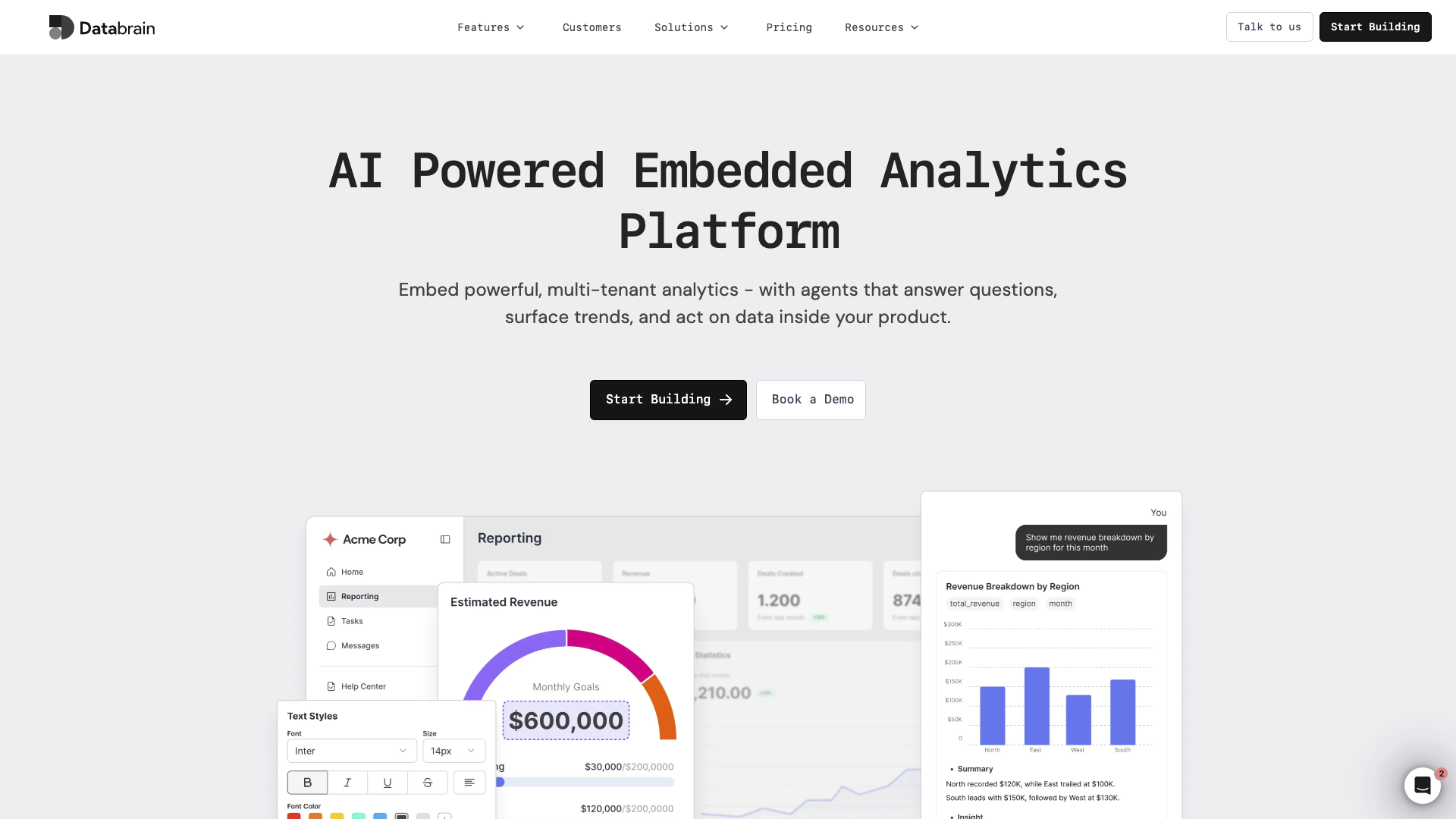
DataBrain is purpose-built for fast-moving SaaS teams that need native AI in days, not months. Its developer-friendly SDK, white-label UI, and robust tenant controls minimize engineering lift while accelerating time-to-market. With predictable, flat-rate pricing and enterprise compliance, it is a practical choice when speed, security, and cost certainty matter most.
- Best for: growth-stage SaaS needing rapid, white-labeled in-app dashboards with AI chat
- AI highlights: embedded assistants for anomaly detection, forecasting, and natural language query (NLQ) insights
- Embedding and development: native SDK, theming, and no-code self-service to reduce backlog
- Governance and security: multi-tenant isolation, row-level security, SOC 2, GDPR, ISO
- Implementation: DataBrain reports 2 to 5 days typical deployment window for most SaaS teams
- Pricing snapshot: flat-rate 999 to 1,995 US dollars per month, unlimited viewers
Key takeaway: Tradeoffs include fewer legacy connectors than older BI suites and an opinionated SDK-first approach.
Definition box
- Multi-tenancy: serve many customers in one platform with isolated data and workspaces.
- Row-level security: restrict row access based on user or role within shared datasets.
- Natural Language Query (NLQ): users ask questions in plain English, and AI translates them to SQL or query logic.
ThoughtSpot: best for enterprise-scale agentic & search-driven analytics
ThoughtSpot is the search-driven analytics leader at scale, letting users type or speak questions to surface insights quickly. With Spotter 3 agentic AI (Python-free advanced analysis, forecasting, and unstructured data blending), it handles large datasets and enterprise embedded scenarios, especially when end users expect Google-like analytics search and AI-assisted exploration.
- Best for: large-scale, search-first analytics with agentic AI at enterprise data volumes
- AI highlights: Spotter 3 agentic reasoning, NLQ search, anomaly detection, forecasting, and insight recommendations
- Embedding and development: robust embed options, SpotterCode AI-assisted integration, strong security controls
- Governance: enterprise posture with granular permissions and auditing
- Implementation: weeks to months depending on semantic modeling complexity
- Pricing snapshot: average contract around 137,000 US dollars annually based on verified procurement data; embedded analytics uses consumption-based pricing at roughly 5 to 6 dollars per dashboard load per user according to independent pricing analyses
Key takeaway: Tradeoffs include consumption pricing that creates unpredictable costs as usage scales, a search paradigm that requires user training, and higher total cost of ownership than lighter tools.
Agentic AI in practice
Spotter 3 goes beyond basic conversational BI:
- Breaks complex questions into sub-questions, validates intermediate results, and iterates until it reaches a confident answer.
- Combines structured analytics data with unstructured sources like CRM notes, tickets, and collaboration tools for richer context.
- Works alongside other agents, such as modeling and visualization agents, to automate semantic modeling and dashboard generation.
This makes ThoughtSpot a strong choice when your goal is to move from reactive dashboards to autonomous, AI-driven analysis.
Looker: best for Google Cloud governance & semantic consistency
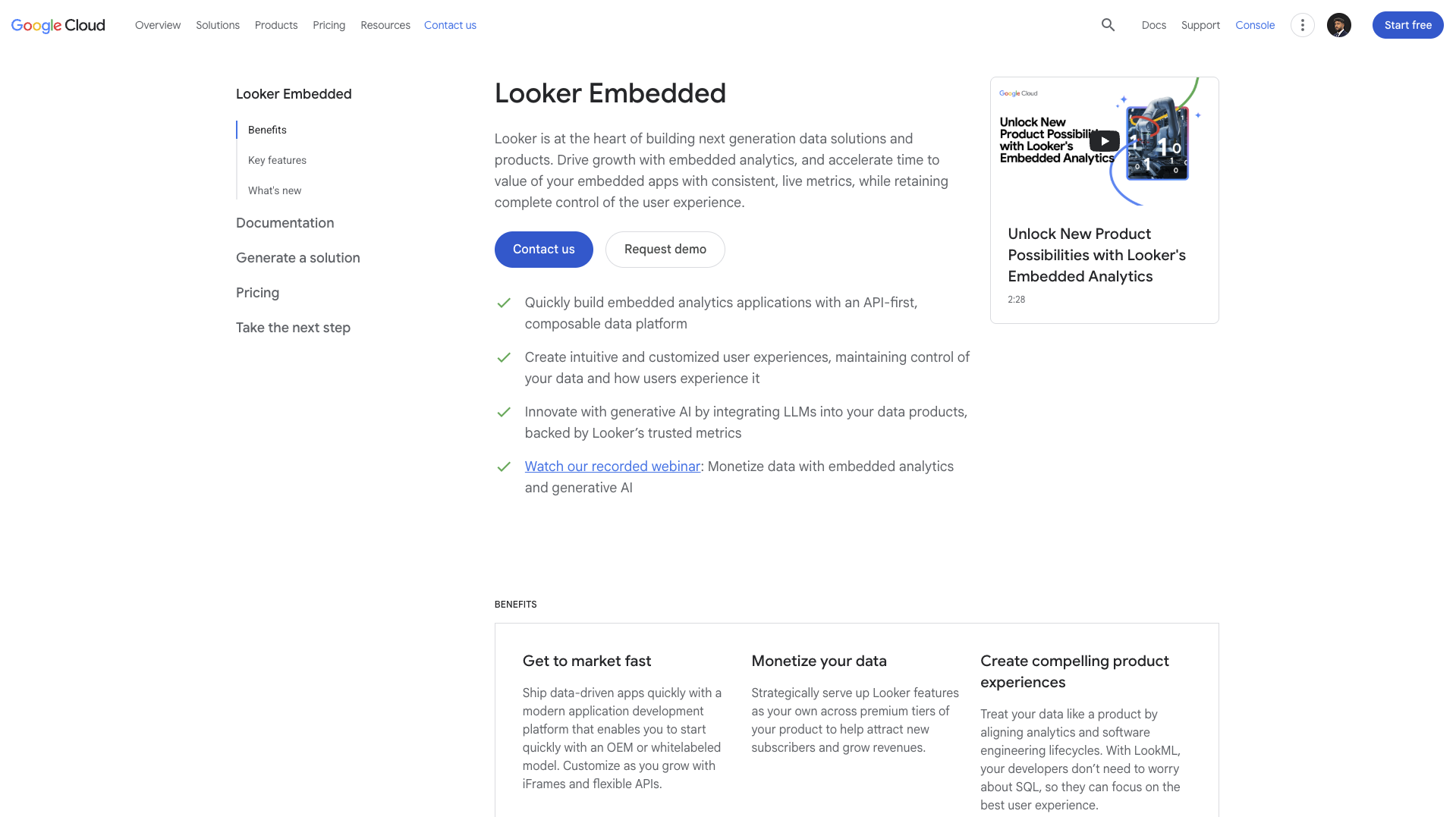
Looker's strength is its semantic layer, LookML, which standardizes business logic and key performance indicators across teams. As a Google Cloud-native platform, it is a strong fit for SaaS needing governed, consistent metrics and versioned data models, especially in a Google Cloud Platform-centric stack with compliance requirements.
- Best for: Google Cloud-aligned organizations that value governance and consistent metric definitions
- AI highlights: Gemini in Looker and its Conversational Analytics agent (running on Vertex AI / Google Cloud); strong governed LookML modeling foundation for AI tools to build on
- Embedding and development: stable embed options; LookML enables reusable, versioned logic
- Governance: metric consistency through LookML; enterprise control and auditing
- Implementation: typically 3 to 6 months for full LookML semantic layer development, confirmed across multiple independent sources
- Pricing snapshot: around 84,000 to 120,000 US dollars annually for 50 to 100 users; total first-year cost including BigQuery (about 50,000 to 80,000 dollars per year), implementation services (around 30,000 to 50,000 dollars), LookML development (around 20,000 to 40,000 dollars), and training (around 10,000 to 20,000 dollars) typically ranges from about 194,000 to 310,000 dollars according to independent BI analyst reviews
Key takeaway: Tradeoffs include a LookML learning curve and ongoing developer maintenance (often 0.5 to 2 full-time equivalents), substantial BigQuery costs, and heavier modeling effort up front.
Power BI Embedded: best for Azure-native teams on a tight budget
Power BI Embedded delivers Azure-native scalability with familiar Microsoft tooling. Microsoft Copilot lets users ask questions in natural language, build reports automatically, and explore data without heavy BI intervention, which is ideal when your app and data live in Azure and budget predictability matters.
- Best for: Azure-centric teams seeking low-friction embedding and affordability
- AI highlights: Copilot for Power BI (generative natural-language interface), plus AutoML and AI visuals such as Key Influencers and Smart Narratives, with Microsoft stack benefits. Note: the legacy Q&A visual is scheduled for deprecation in December 2026 in favor of Copilot
- Embedding and development: flexible JavaScript SDKs, security integration, and deployment pipelines
- Governance: integrates with Azure Active Directory, roles, and enterprise controls
- Implementation: weeks for standard scenarios; complexity increases with advanced row-level security and custom visuals
- Pricing snapshot: Microsoft now prices embedded through Microsoft Fabric F-SKUs as the current standard (from about 262 dollars per month for F2), with legacy A-SKUs still available (A1 about 735 dollars per month, A2 about 1,470 dollars per month at always-on rates) or per-session pricing; in app-owns-data SaaS embedding, end users do not need per-user licenses at any capacity tier. Power BI Pro rose 40 percent to 14 dollars per user per month in April 2025 (Microsoft's first increase in nearly a decade), which affects report creators only, not embedded viewers. See the full Power BI Embedded pricing breakdown for capacity planning.
Key takeaway: Tradeoffs include the need for capacity planning and DAX skills, iframe constraints that limit deep white-labeling, and some mobile browser compatibility issues.
Sisense: best for complex data models & deep customization
Sisense is known for developer flexibility, handling large and complex models, and strong embedding options. Its Compose SDK, white-labeling, and machine learning integration suit teams building highly customized analytics experiences or tackling complex data preparation within the analytics tier using ElastiCube technology.
- Best for: complex data scenarios and deeply customized embedded user experiences
- AI highlights: AI-powered querying and machine learning integrations across data pipelines
- Embedding and development: Compose SDK, extensible APIs, and white-label components
- Governance: enterprise-grade roles, auditing, and deployment patterns
- Implementation: several weeks to months depending on ElastiCube complexity and data volume
- Pricing snapshot: entry-level around 10,000 to 21,000 dollars annually (self-hosted versus cloud, approximately 5 users); typical enterprise deployments average around 137,000 dollars annually according to industry benchmarks, with OEM scenarios ranging roughly 60,000 to 4.4 million dollars depending on scale, data volume, and customization requirements. Pricing is quote-based and not publicly listed; see Sisense pricing for the current breakdown.
Key takeaway: Tradeoffs include higher developer lift and implementation overhead than lighter tools, ElastiCube maintenance that requires dedicated data engineering, and per-tenant deployments that become cost-prohibitive at large scale. If the overhead is a concern, weigh the Sisense alternatives built for SDK-first embedding.
Tableau Embedded: best for visualization depth & a mature ecosystem
Tableau delivers strong visualizations and interactive dashboards with a mature community. Salesforce's Tableau AI layer adds AI features for assisted analysis, summaries, and conversational exploration, improving self-serve analytics inside embedded experiences. It includes Tableau Agent for conversational analysis (formerly Einstein Copilot) and Tableau Pulse for proactive metric monitoring, both built on Tableau Einstein.
- Best for: visually rich, interactive analytics with a mature ecosystem
- AI highlights: Tableau Agent conversational analytics and Tableau Pulse metric insights (powered by Tableau Einstein), with AI-assisted analysis and generated explanations
- Embedding and development: fast basic embeds; advanced customization needs technical skills
- Governance: enterprise controls and permissions across content
- Implementation: weeks to months depending on dashboard complexity and customization depth
- Pricing snapshot: role-based per-user licensing: Creator about 75 dollars per user per month and Viewer about 15 dollars per user per month on Standard, rising to roughly 115 and 35 dollars on Enterprise tiers; embedded use is custom-quoted on top of these licenses, so budget for viewer scale in portals. See Tableau Embedded pricing for the full 2026 TCO.
Key takeaway: Tradeoffs include significant engineering effort for deep customization, AI features that are less mature than dedicated conversational BI platforms, and licensing complexity for embedded viewer scenarios.
AWS QuickSight: best for AWS-native, cost-elastic scaling
QuickSight offers AWS-native embedded analytics with pay-per-session pricing, ideal for cost-sensitive scaling in cloud apps that already run on AWS. It integrates natively with AWS services and aligns with AWS security and compliance out-of-the-box, with Amazon Q in QuickSight enabling generative natural language queries without predefined datasets. Note: AWS rebranded QuickSight into Amazon Quick Suite in late 2025, with the BI capabilities now referred to as "Quick Sight" inside that suite; the embedded BI features and pricing below are unchanged.
- Best for: AWS-centric SaaS needing low admin overhead and elastic costs
- AI highlights: automated insights, anomaly detection, and Amazon Q generative BI for natural language querying
- Embedding and development: straightforward embed and IAM alignment with the AWS stack
- Governance: leverages AWS security, roles, and audit capabilities
- Implementation: days to weeks for standard AWS-integrated scenarios
- Pricing snapshot: per-user readers from about 3 dollars per user per month (Reader Pro about 20 dollars), or pay-per-session capacity starting around 250 dollars per month for 500 30-minute sessions; SPICE in-memory storage runs about 0.38 dollars per GB per month, and Amazon Q generative BI adds roughly 250 dollars per month per account on top of Pro licenses
Key takeaway: Tradeoffs include less design flexibility than visualization-first tools, additional licensing for Amazon Q generative BI, and a strong bias toward AWS-centric environments.
Qrvey: best for AWS-aligned, non-iframe multi-tenant embedding
Qrvey is a SaaS-focused, multi-tenant embedded platform with built-in AI. It includes a data lake, native (non-iframe) embedding, and programmatic tenant management, which appeals to product teams that want deeper integration without heavy BI overhead, especially in AWS-aligned architectures.
- Best for: AWS-aligned SaaS needing programmatic multi-tenant analytics
- AI highlights: natural language querying, automated insights, and AI-assisted dashboards
- Embedding and development: non-iframe embedding for deeper interactions and user experience control
- Governance: tenant isolation and AWS-friendly compliance patterns
- Implementation: weeks for standard multi-tenant embedding scenarios
- Pricing snapshot: mid-to-enterprise tiers with flat-fee mid-five-figure annual pricing; confirm data-lake and usage costs
Key takeaway: Tradeoffs include its strongest fit being on AWS, the need to verify cross-cloud requirements, and limited public pricing transparency.
GoodData: best for per-workspace embedded BI with a governed semantic model
GoodData (now GoodData.AI) is an embedded, multi-tenant analytics platform built around a governed semantic model and a per-workspace architecture. After its GoodData.AI rebrand, it adds an MCP server, an Agent Builder for custom agents, and AI governance, aimed at product teams that deliver analytics, and now AI agents, to many customer workspaces from a single platform.
- Best for: SaaS teams needing governed, per-workspace multi-tenant embedding with a strong semantic model
- AI highlights: GoodData.AI assistant, Agent Builder for custom agents, an MCP server for AI tool integration, and semantic-model-grounded querying for more consistent answers
- Embedding and development: full embedding on Professional and Enterprise plans; APIs and SDKs for white-labeling and programmatic workspace provisioning
- Governance: governed semantic model (metrics defined once and reused), workspace isolation, and enterprise-grade security and compliance on Enterprise
- Implementation: typically several weeks to a few months (independent reviews cite around four months for full multi-tenant deployments); first deployments usually include 30,000 to 80,000 US dollars of professional services for semantic-layer (LDM/MAQL) modeling
- Pricing snapshot: no public list pricing; per-workspace model (a platform fee plus the number of workspaces, with unlimited users and data on Professional, and custom use-case-based pricing on Enterprise). Independent 2026 analyses put year-one deployments roughly between 60,000 and 250,000 US dollars depending on tenant count, data volume, and AI feature usage. See GoodData.AI pricing for the post-rebrand breakdown.
Key takeaway: Tradeoffs include opaque, sales-led pricing (every quote is custom), a per-workspace model that needs cost modeling as tenant counts grow, and upfront effort to build and govern the semantic layer. For SDK-first options, compare the GoodData alternatives built for developer velocity.
How to Choose the Best AI-Enabled Embedded Analytics Tool
Start with your app's architecture, data gravity, and user experience goals. Prioritize AI depth for conversational BI: evaluate natural language chat quality, auto-insight relevance, anomaly detection accuracy, forecasting capabilities, and whether all of this is grounded in a governed semantic layer. Assess embedding flexibility (native SDK versus iframe), multi-tenant controls, performance at your expected scale, and compliance needs.
Match platform to cloud alignment and AI investment level. Favor Power BI Embedded for Azure-native stacks with tight budgets, Looker for Google Cloud and semantic governance at scale, QuickSight for AWS-native products, and DataBrain for rapid AI-first embedding with predictable costs (see the DataBrain vs Tableau comparison for a head-to-head on native embedding). If you need enterprise-scale agentic analytics with advanced AI reasoning, prioritize ThoughtSpot (the DataBrain vs ThoughtSpot breakdown covers the cost tradeoffs); if you need deep customization with complex data models, consider Sisense; if you want non-iframe embedding with an integrated data lake on AWS, Qrvey is a strong fit; and if you want governed, per-workspace multi-tenant embedding built around a semantic model, consider GoodData.
Pilot one or two finalists using your real data volumes and AI use cases. Validate natural language query accuracy, auto-insight relevance, integration effort, tenant provisioning, SSO and authorization, query performance under load, and governance controls. Test conversational AI features with actual end users to verify adoption potential. Move to production only after security review and verifying support SLAs, AI roadmap fit, and cost predictability.
Understanding AI Capabilities in 2026
The embedded analytics AI landscape has evolved from simple keyword search to autonomous analytical agents. To evaluate platforms effectively, it is useful to understand three capability tiers and their implications for real-world deployments. These shifts are part of the broader embedded analytics trends shaping 2026, especially the move toward agentic AI, semantic layers, and AI-native product experiences.
The Accuracy Problem and Why Semantic Layers Matter
Research on natural language query tools shows that large language models achieve low accuracy on complex business questions when they work directly on raw schemas. The same question, such as "What is driving margin decline?", can return inconsistent or incorrect results across tools without a semantic layer.
Platforms that combine semantic layers (governed business definitions, metric calculations, and relationships) with generative AI achieve much higher accuracy on complex queries. Semantic context guides the AI so that "revenue," "churn," and "customer" are interpreted consistently across teams and dashboards.
Practical checks:
- Does the platform maintain a versioned semantic layer (for example, LookML, worksheets, or a metrics store)?
- Can you inspect and test the business logic the AI uses to interpret questions?
- How does the system handle metric conflicts and name collisions (for example, "revenue" defined differently across business units)?
Without a semantic foundation, conversational AI tends to hallucinate metrics, misjoin tables, or misinterpret ambiguous questions.
Conversational AI Versus Agentic AI
Conversational AI (first generation):
- Translates natural language to queries.
- Can handle follow-up questions in a short context window.
- Still mostly reactive: it answers what the user asks, one step at a time.
Examples include early natural language features in Power BI, Tableau, and basic NLQ add-ons.
Agentic AI (current generation):
- Breaks complex questions into multiple analytical steps.
- Validates intermediate results and self-corrects when inconsistencies appear.
- Combines structured data from your warehouse with unstructured context from CRM, ticketing, or collaboration tools.
- Can initiate actions such as creating tasks, sending alerts, or calling webhooks.
Examples include ThoughtSpot's Spotter 3 and emerging agent-based analytics platforms.
Practical test: Ask each tool, "Why is our net revenue retention declining for enterprise customers in Europe?"
- A basic NLP system may return a single trend chart.
- A conversational system may ask a clarifying question and then show segmented trends.
- An agentic system will:
- Segment customers by cohort and plan.
- Compare expansion revenue and churn drivers.
- Correlate changes with product usage, ticket volume, or satisfaction scores.
- Return a narrative explaining multiple factors, such as discounting policies or adoption of specific product modules.
This difference is critical if you want AI to help non-analysts find root causes, not just visualize symptoms.
Evaluating AI Maturity: A Three-Tier Framework
You can think about embedded analytics AI in three tiers.
Tier 1: AI-Assisted Analytics
- Basic natural language support or guided question builders.
- Good for simple, well-defined queries.
- Limited multi-step reasoning and context retention.
Tier 2: Conversational Analytics
- Natural language query with follow-up questions.
- Uses some semantic context to interpret business terms.
- Better suited for exploratory analysis by business users.
Tier 3: Agentic Analytics
- Multi-step reasoning, self-validation, and autonomous exploration.
- Combines structured and unstructured data.
- Can trigger workflows or downstream systems.
When you run pilots, use this framework explicitly. Design a script with simple questions, ambiguous questions, and complex "why" and "what should we do next" questions. Score each platform on how far up this maturity curve it actually performs.
AI Feature Evaluation Checklist for 2026
When evaluating AI capabilities for customer-facing embedded analytics, focus on these areas.
Foundation (must-have):
- Semantic layer with governed business definitions and metrics.
- Natural language query accuracy that holds up in real tests, not demos.
- Auditable query logic and AI decisions for compliance.
- Context retention across several follow-up questions.
Advanced (high-value):
- Multi-step reasoning for "why" questions.
- Anomaly detection with suggested root causes.
- Forecasting with clear assumptions and confidence intervals.
- Self-correction when results conflict with known constraints.
Agentic (emerging, premium):
- Ability to blend analytics data with unstructured context from CRM, support, or collaboration tools.
- Proactive insight generation instead of only responding to questions.
- Action triggers for workflows and external systems.
- Integration with AI platforms like Claude, ChatGPT, or Gemini through standardized protocols.
Red flags:
- "AI-powered" claims with no semantic layer or governance story.
- Natural language features that require very specific phrasing.
- No way to inspect the queries or logic behind AI-generated answers.
Key AI Features to Consider
Modern embedded analytics should reduce time-to-insight by putting AI in the critical path. Rather than simply checking whether a tool has "AI features," evaluate how those features perform in real workflows.
Prioritize natural language processing quality that lets users ask questions in plain English and receive accurate, trustworthy answers. Look for predictive analytics and forecasting that can highlight upcoming risk or opportunity, not just extrapolate trends. Anomaly detection should not only flag outliers but also suggest potential drivers and next questions to ask.
The best tools surface relevant summaries, forecast trends with clear assumptions, flag outliers with explanations, and guide users toward actions within your application's workflows. Evaluate explainability: can business users understand why a particular anomaly was flagged or why a forecast changed? Ensure there are governance hooks so that AI behavior can be controlled, audited, and aligned with regulatory expectations.
Embedding and Integration Options
Embedding approaches affect user experience and engineering effort. SDKs (software development kits) enable native embedding and deep customization. Embedding APIs offer granular control over events, filters, security, and lifecycle. Iframes are simple to implement but limit integration depth and performance. Native embedding avoids iframe constraints and allows shared styling, context passing, and seamless user experience.
For AI specifically, native SDKs can expose conversational components, insight feeds, and notifications as first-class UI elements. That makes it easier to wire AI-generated insights into the surrounding product experience, not just into a dashboard frame.
Scalability and Multi-Tenancy Support
Multi-tenancy ensures each customer only sees their own data and metadata while your team manages one platform. Validate programmatic tenant provisioning, workspace isolation, and automated lifecycle hooks. Confirm performance under concurrency and large data volumes to prevent noisy-neighbor effects that degrade AI response times and query performance.
Require row-level security with dynamic filtering, object-level permissions with scoped tokens, and APIs for automated workspace provisioning. Check that scaling strategies (horizontal scaling, caching, in-memory acceleration) align with your usage patterns.
For AI-native platforms, verify AI model isolation. Ensure conversational AI maintains tenant boundaries, training and inference do not mix data across tenants, and AI-generated recommendations respect row-level security. Robust audit logs of AI interactions are important for both troubleshooting and compliance.
Security and Compliance Considerations
Customer-facing analytics must meet enterprise security benchmarks such as SOC 2, ISO 27001, GDPR, encryption in transit and at rest, and secure SDLC practices. Ask vendors about SSO and SAML, SCIM, role-based access control, row-level security, audit logs, and integration with your identity provider and secrets management.
For AI features, add questions about how training data is handled, whether tenant data is used to train shared models, and how AI decisions are logged. Confirm data residency options for both analytics storage and AI inference. Run penetration testing against embedded surfaces and AI endpoints.
DataBrain's compliance stack and tenant isolation controls provide a useful reference pattern. Regardless of vendor, require a security review and incident response commitments before you move to production.
Total Cost of Ownership Comparison
Beyond licensing costs, total cost of ownership (TCO) includes implementation services, ongoing maintenance, engineering time, query and compute costs, and hidden fees. Platforms that require building and maintaining a semantic layer or custom data engines demand more ongoing investment than SDK-first tools that sit on top of existing warehouses.
First-Year TCO Comparison (Typical Mid-Market Scenario)
Vendor Licensing (Year 1) Implementation Ongoing Maintenance Query and Compute Estimated Year 1 Total Estimated Ongoing Annual
Notes:
- Licensing verified via procurement data; implementation and modeling costs estimated using typical enterprise BI deployment patterns.
- Looker figures based on an independent BI analyst breakdown including licensing, services, LookML development, training, and BigQuery costs.
- Sisense range reflects self-hosted versus cloud enterprise licensing plus estimated implementation and ElastiCube maintenance; exact figures vary by deal and are not publicly listed.
- ThoughtSpot embedded query/compute reflects independent pricing analyses of consumption-based usage, not an official list tariff.
- Tableau figures are list per-user rates (Creator $75 standard / ~$115 Enterprise; Explorer and Viewer lower); embedded is custom-quoted on top.
- AWS QuickSight reader pricing is $3/user/month or session capacity from ~$250 for 500 sessions; SPICE in-memory storage is $0.38/GB-month; Amazon Q generative BI adds a $250/month per-account enablement fee.
- Power BI now leads with Fabric F-SKUs (from $262/month F2); legacy A-SKUs A1 ~$735/A2 ~$1,470 at always-on rates. End users need no per-user license in app-owns-data embedding.
- GoodData pricing is sales-led and custom-quote only; the range reflects independent 2026 analyses of typical year-one multi-tenant deployments, including $30k–$80k professional services for the first deployment.
When comparing vendors, model not only your first year but also years 2 and 3 as adoption grows. Per-user and per-query models can penalize success. Flat-rate or per-workspace models can encourage aggressive rollout of AI features without fear of runaway costs.
Pricing Models and Cost Predictability
Embedded analytics pricing typically follows three patterns:
- Flat-rate: one monthly or annual fee regardless of viewer volume or usage intensity. This is predictable and rewards adoption.
- Capacity-based: you buy capacity (compute and refresh units, concurrent users). Cost scales with performance and concurrency and requires forecasting.
- Pay-per-session or usage: you pay only when users view dashboards or execute queries. This is efficient for low-frequency usage but creates unpredictable costs when adoption succeeds.
For cost predictability in AI-native scenarios, flat-rate models are attractive. DataBrain's pricing is 999 to 1,995 dollars per month with unlimited viewers and AI feature access, enabling straightforward ROI calculations. Capacity models, such as Power BI A-SKUs, suit variable traffic and can be economical initially, but require careful tuning. Consumption models, such as ThoughtSpot's per-dashboard-load embedded pricing, can discourage promoting AI features widely because each interaction carries a cost.
Model hidden costs in AI-enabled platforms: compute for inference, query overages, embedding infrastructure, premium AI feature licenses, storage, and enterprise support plans. Always simulate cost scenarios at two times and five times your expected usage to ensure that your pricing model is sustainable as adoption grows.
Learn More from DataBrain
- Embedded Analytics for SaaS: complete implementation guide
- AI-Powered Analytics Platform: conversational BI features and use cases
- Embedded Analytics: 2026 Complete Guide: technical architecture and best practices
- Power BI Embedded Pricing Guide: Azure capacity planning and cost optimization
- Developer Documentation: SDK integration, security patterns, and API reference
- Start Free Trial: 14-day trial with full AI features and white-label dashboards
Frequently Asked Questions
What AI capabilities should I prioritize for conversational embedded analytics in 2026?
Prioritize natural language query accuracy and conversational fluency. Look for predictive analytics with clear assumptions, automated anomaly detection with root-cause hints, and auto-insights that surface relevant findings without manual digging.
How do I evaluate integration complexity for AI-native in-app reporting?
Check for native SDKs that support conversational AI interfaces, event-rich embedding APIs for AI notifications, and non-iframe options that match your front-end stack. Validate SSO, row-level security, and tenant provisioning with your identity model.
What pricing models are common for AI-enabled embedded analytics?
You will see flat-rate plans with AI included, capacity-based models (pay for compute units), pay-per-session or per-query models, and hybrids. Choose based on expected viewer volume, AI query intensity, and budget predictability.
How important is multi-tenant security for SaaS embedded AI analytics?
It is critical. Multi-tenant isolation and row-level security ensure each customer sees only their data while AI models respect those boundaries. Without robust tenant provisioning, scoped tokens, and AI audit trails, you risk data leakage.
Can embedded AI analytics improve user engagement in customer portals?
Yes. Conversational queries, proactive auto-insights, and anomaly alerts make analytics accessible to non-analysts and typically increase dashboard usage and stickiness. When AI-generated insights are delivered in context, users act faster and return more often.


