

.png)
Your customer success team forwards an email from your largest client. Subject line: "Found competitor data in our export, what's going on?"
That sick feeling hits immediately.
Six months building embedded analytics. Beautiful dashboards. Tenant isolation done right. But nobody tested the export button. That "Download CSV" link queried the raw database, no filters, no security. Just dumped everything into a spreadsheet.
If you're searching for how to export embedded dashboard CSV files securely, you've probably already seen this problem firsthand or you're smart enough to prevent it before it happens. Either way, you're asking the right question.
This article covers what row-level security export actually means, why most export implementations fail, and how to build exports that maintain the same data isolation as your dashboards without duplicating security logic across your codebase.
What Is Row-Level Security Export?
Row-level security export means every CSV or data download applies the same tenant and user filters as the dashboard itself. Users receive only rows they're authorized to access not the entire underlying table.
Here's the distinction that matters:
Filtered exports apply whatever the user selected in the UI: date range, region, campaign. These filters live in your application layer. They restrict what users requested, not what they're allowed to see. They can be bypassed or misconfigured.
Row-level security exports operate at the database layer. Before any query runs, the system verifies user identity and applies rules that physically exclude unauthorized rows. Those rows don't get hidden, they never enter the results.
One approach looks secure on the surface. The other actually enforces security at the only level that matters before data ever leaves your database.
Why Most Embedded Dashboard CSV Exports Leak Data
Most teams bolt exports onto dashboards as an afterthought. Ship the charts first, add "Download" later. This creates predictable security gaps:
Separate code paths. Dashboard queries run through security checks. Export endpoints use direct database access or service accounts with elevated permissions.
Missing tenant context. Exports receive filter selections but not the underlying tenant ID that should scope every query.
Cached results. Export endpoints pull from query caches that don't respect tenant isolation, serving cross-tenant data.
The result? Users see correctly filtered dashboards but download unfiltered CSVs containing data they should never access. Your UI security becomes theater; it looks secure but exports expose the real access control gaps underneath.
If you're building your own export embedded dashboard CSV functionality, you're signing up to solve this problem repeatedly for every endpoint, every format, every edge case. Most teams underestimate that scope.
Where Row-Level Security Export Matters Most
Secure exports matter anywhere you embed analytics. But stakes are highest in these scenarios:
E-commerce platforms with hundreds of sellers. When Seller A downloads performance data, Seller B's pricing and customer lists must be completely absent. One leaked row scatters confidential data into shared drives and partner emails you'll never track down.
Regional scoping adds complexity. A France-only dashboard view exporting Germany data isn't a filter bug, it's a breakdown in how exports interact with tenant and geographic boundaries. Sellers trust that "Download" means "download my data".
Marketing agencies managing competing clients on shared platforms. Campaign budgets, conversion rates, acquisition costs clients share this sensitive strategic information because they trust your isolation. The moment competitor data appears in an export, every assumption about your platform collapses. Single leak means lost clients and enterprise deals that quietly disappear from your pipeline.
B2B SaaS products with customer portals. Users expect seamless exports of their usage data, billing history, and performance metrics. That's the experience they signed up for. Accidentally downloading another company's records violates that expectation in a way that's hard to recover from.
In each case, the row-level security export question is the same: does your export path enforce identical rules as your dashboard path? If the answer is "probably" or "mostly," you have a breach waiting to surface.
The Real Cost of Getting This Wrong
A concrete failure scenario: Tenant A downloads their customer list. Your export endpoint uses a database connection without tenant filtering. The CSV returns 50,000 rows but Tenant A only has 500 customers.
Where did the other 49,500 rows come from? Other tenants. And Tenant A might not even notice extra rows look like test data or internal metrics. Meanwhile, Tenant B's customer information sits in someone else's downloads folder indefinitely.
What follows is predictable and painful:
Immediate crisis. The customer discovers the leak. Support scrambles. Legal gets involved. Someone decides if breach notification is legally required. Leadership wants answers you don't have yet.
Investigation chaos. How many exports were affected? Which customers are exposed? How far back does this go? You're digging through logs, tracing code paths, slowly realizing the endpoint shipped broken months ago and nobody caught it.
Expensive remediation. Beyond the code, fix customer notifications, potential regulatory fines, and rebuilding trust with clients who now question everything about your platform. Some start asking for audit reports you've never produced.
Long-term damage. Sales calls now include security incident questions. Competitors reference it in deals. Enterprise procurement teams find the story and pause evaluations indefinitely.
All because an export button got treated as an afterthought. The frustrating reality: fixing it properly from the start would have taken a fraction of the cleanup effort and cost.
Why Building Secure CSV Exports Yourself Is Harder Than It Looks
You might think: "We'll just add tenant filters to our export endpoints" Sounds reasonable. Here's why that approach usually fails in practice:
Security logic gets duplicated. Dashboard security lives in one codebase. Export security lives in another. Now you're maintaining two systems that need to stay perfectly in sync. They won't. One gets updated, the other doesn't. Gaps emerge.
Edge cases multiply fast. Different export formats. Different user roles. Different filter combinations. Admin overrides. Partial permissions. Each permutation needs testing. Most teams cover the obvious 80% and ship that remaining 20% is exactly where breaches happen.
Knowledge walks out the door. The engineer who built the export endpoint leaves. Documentation is sparse. The next developer doesn't fully understand the security model. A "quick fix" bypasses tenant checks to solve a customer complaint. Nobody notices for months until someone does.
Testing is incomplete. Security testing requires verifying that users can't access data proving a negative. Most QA processes focus on functionality working, not on restrictions holding. Export security bugs slip through because nobody tests for them specifically.
The architectural answer isn't better export code. It's eliminating the separation entirely. Exports shouldn't have their own security logic; they should inherit it automatically from the same source that powers dashboards. One policy, enforced everywhere.
How Databrain Handles Row-Level Security Export
Databrain approaches this. Exports aren't a separate feature; they're part of the dashboard security model. If a user can't see data on screen, they can't download it. Same rules, enforced automatically, no extra code required.
Here's what that means in practice:
One security model, everywhere. Define access rules once at the data layer. Dashboards inherit them. Exports inherit them. No duplicate logic to maintain, no sync issues to debug. When you update a policy, it applies everywhere instantly. See Multi-Tenant Access Control documentation.
Dashboard filters carry into exports. Date range, region, campaign, store whatever's applied on screen flows into the CSV automatically. What you see is what you download. No hidden data sneaking in through a different code path. See Metric App Filter and Dashboard App Filter.
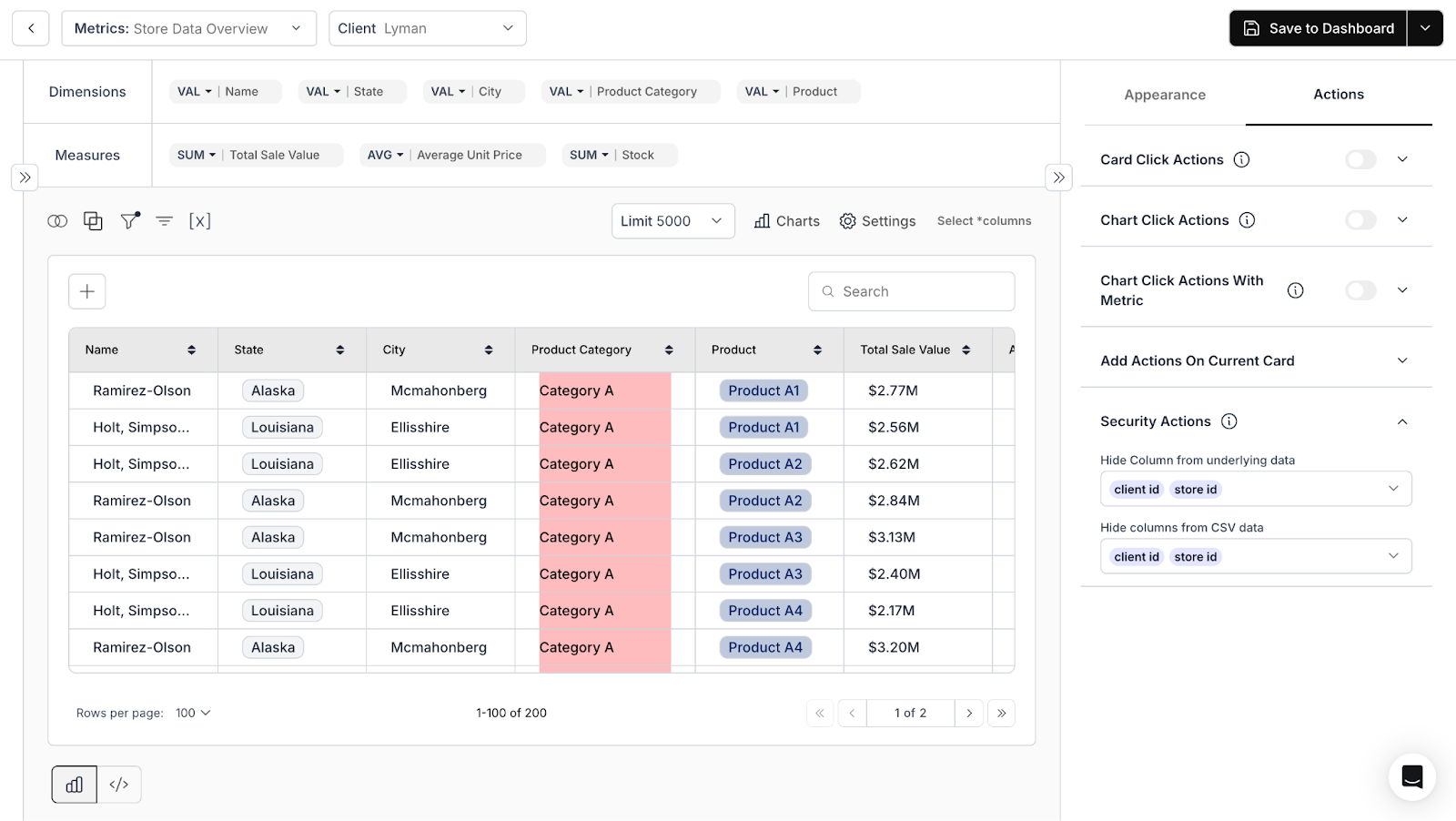
Sensitive columns stay hidden. Security Actions configure which fields to hide from the underlying data, and CSV exports. A business user sees only report-ready fields; internal systems stay protected. Same underlying data, securely controlled at the card level.
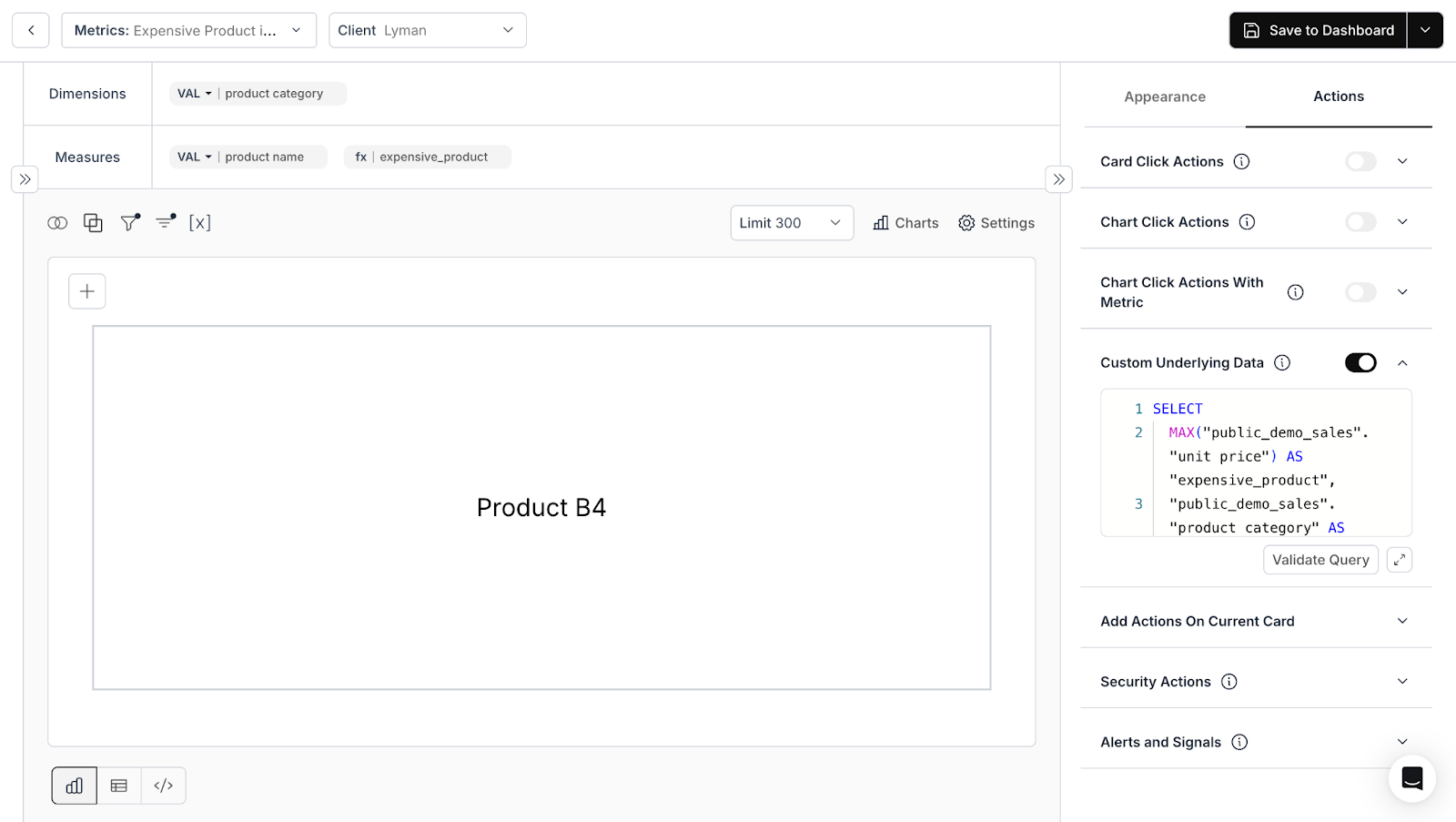
Any format, same security. CSV, Excel, PNG export path runs through identical security checks. Format flexibility doesn't mean security flexibility. See Download Underlying Data and Download Metric Card.
The engineering benefit: your product team ships export embedded dashboard CSV functionality without building custom security for each endpoint. Policies defined once propagate everywhere automatically.
Build Exports Right From the Start
Every security decision about embedded analytics converges in one moment: user clicks "Download."
That file either validates your security model or exposes that it was surface-level protection all along. There's no middle ground. The CSV tells the truth about your access controls.
When you export embedded dashboard CSV files, those downloads need the same guarantees as your visualizations: same row-level security export rules, same filters, same column masking. Not a separate code path that "mostly works." Not security logic duplicated across endpoints. Identical enforcement, automatic inheritance.
Databrain makes this the default architecture, not an optional configuration you remember to enable. Users get the data transparency they need to work effectively. Tenants stay isolated without friction or workarounds. Your security posture holds up under audit, under customer scrutiny, under the inevitable question: "Can you prove our data is protected?"
And you never send that email explaining why competitor data appeared in a customer's spreadsheet.
The architecture decisions you make now determine whether that download button becomes a trusted feature your customers rely on or a liability waiting to surface at the worst possible moment.
Frequently Asked Questions
What is row-level security export?
Row-level security export applies database-level access rules to every download. Instead of exporting entire tables, users receive only rows they’re authorized to access with the same restrictions as the dashboard itself.
How is RLS different from dashboard filters?
Filters adjust what users choose to view—their preferences. RLS controls what users are permitted to access—enforced boundaries. Filtered rows are hidden in the UI; RLS-blocked rows never enter query results at all.
Can users export data without breaking tenant isolation?
Yes, when exports use the same security context as dashboards. Users download their own data without any risk of accessing other tenants’ records.
How does column-level masking work in exports?
Column masking hides specified fields such as margins, costs, internal notes based on user role. Configure once which fields to mask for which roles; enforcement applies to every export automatically across all formats.
Can export permissions vary by role?
Yes. Export permissions are fully configurable per role or per metric. Admins might access complete exports while viewer roles receive summarized data only or no export access at all.


