

Databrain Reimagined
The biggest change to Databrain yet.
Live in--days--hours--minutes--seconds
Scheduled maintenance is in progress. The new Databrain is almost here. Follow it on the status page
The new Databrain is live.
Every screen, redesigned
- Every screen rebuilt
- Home, dashboards, the metric builder and settings.
- One design system
- The same buttons, menus and type on every screen.
- Dark mode
- Every screen in light or dark.
- A new chart engine
- Every chart is drawn by the new engine.
Move your pointer across the screen to compare today's Databrain with the new one.Drag the line to compare today's Databrain with the new one.
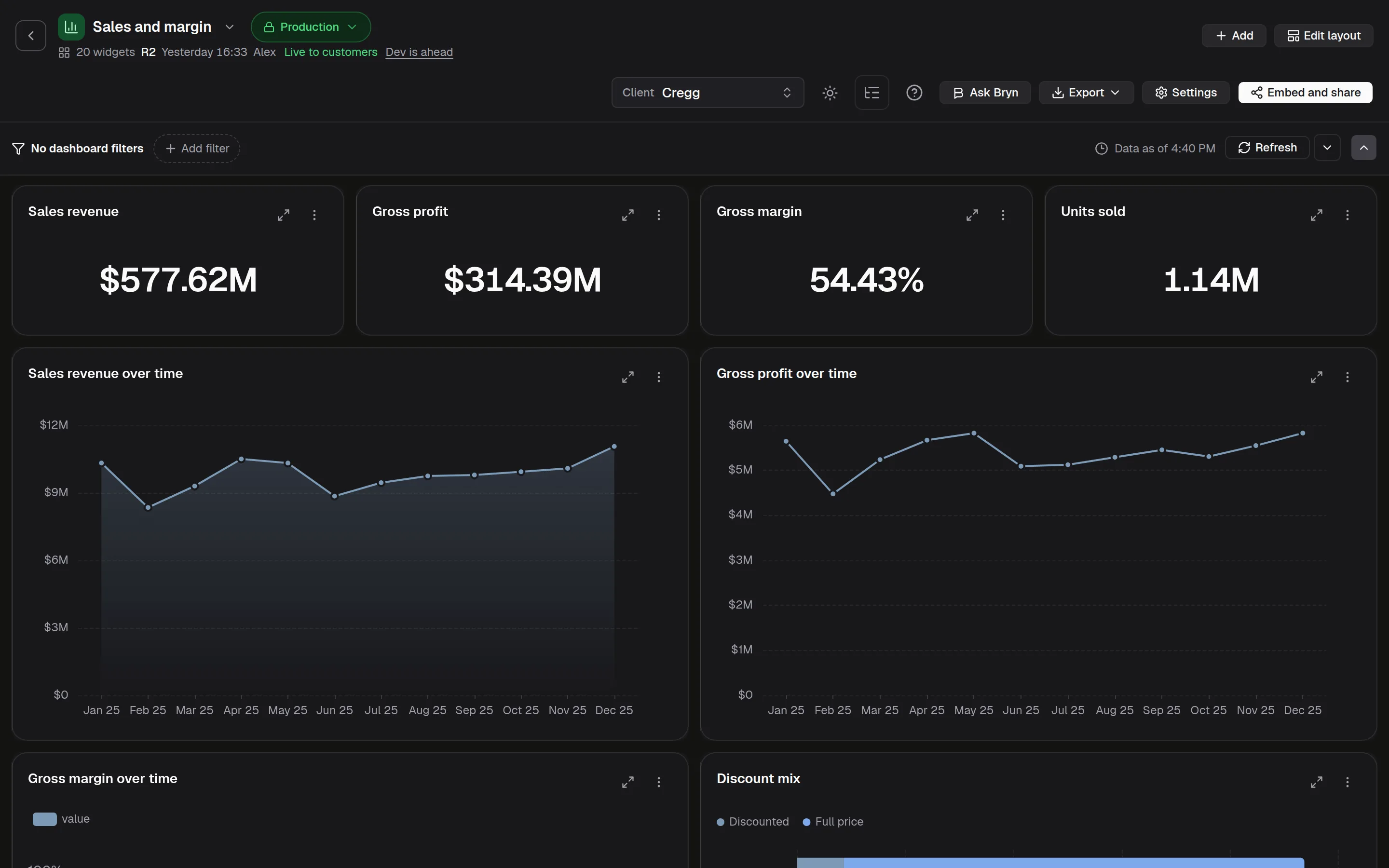
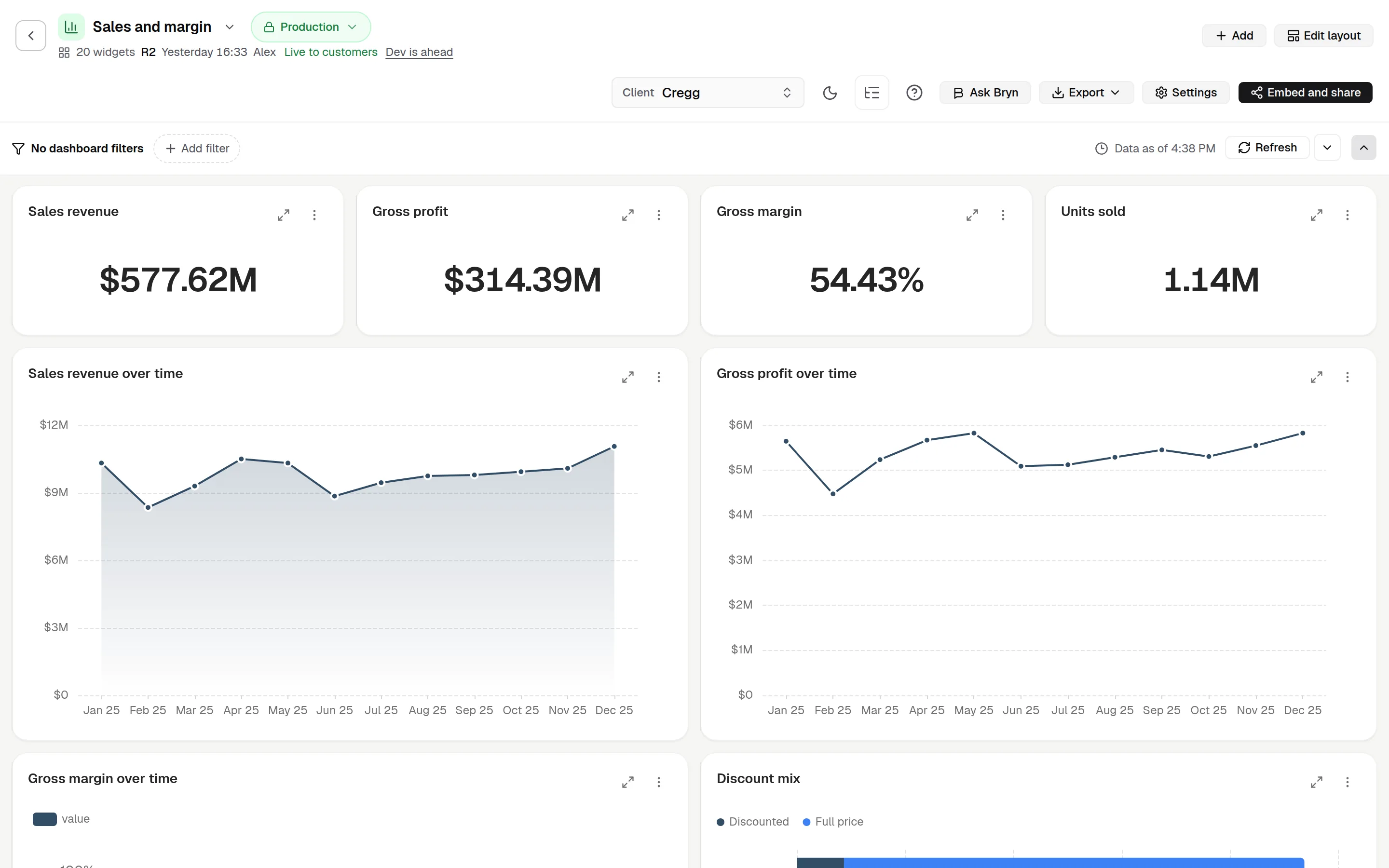
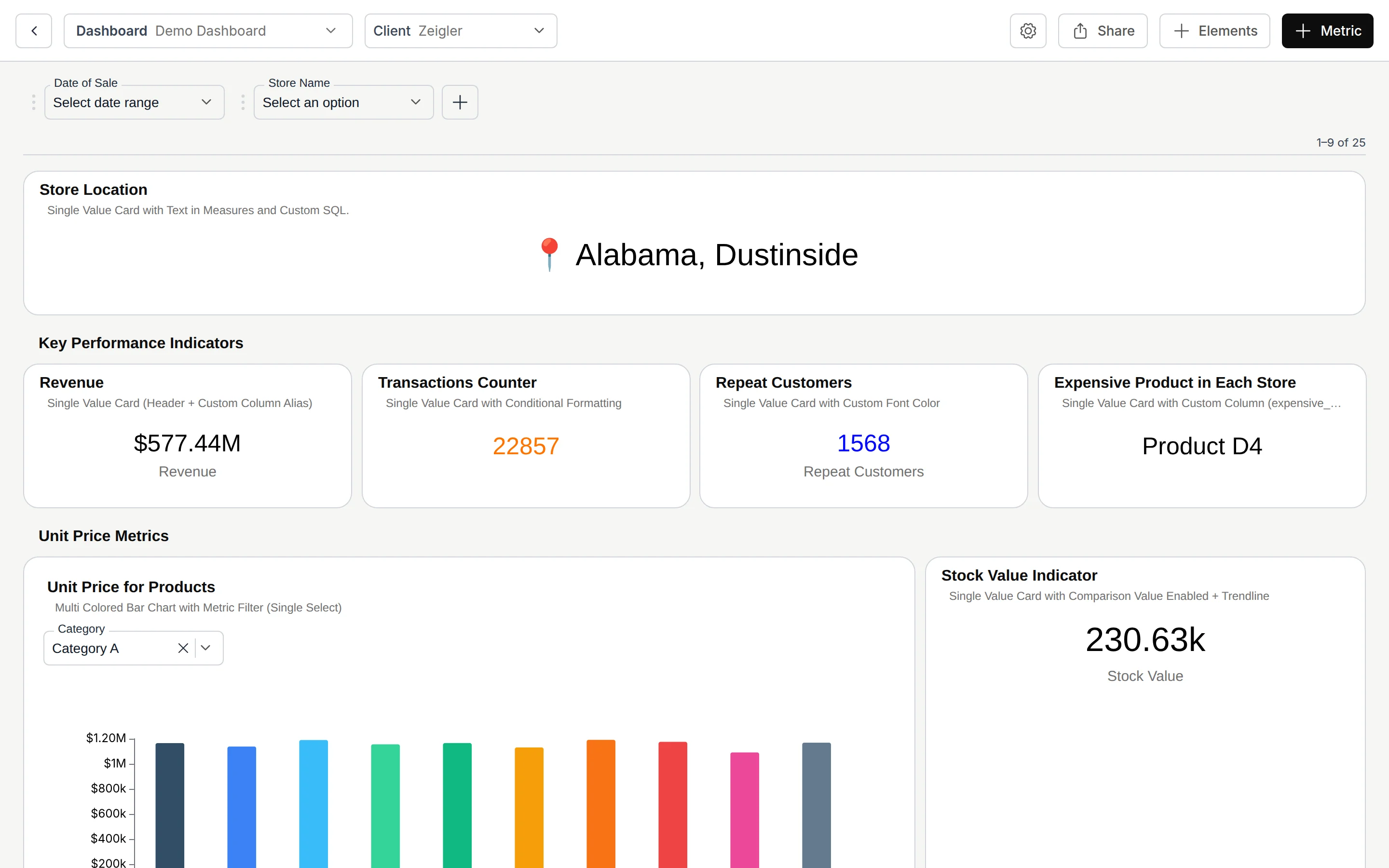
Lighter than today's Databrain
| Version | Measured value |
|---|---|
| Today | 4,126 KB |
| New | 1,060 KB |
How we measured: Download on your first visit
Sign-in page, first visit, empty cache, Chrome at 1920 by 1080. Two runs each, same result.
| Version | Measured value |
|---|---|
| Today | 537 KB |
| New | 72 KB |
How we measured: Data to open an embedded dashboard
A real 537 KB dashboard definition. Today it is sent with no compression; the new Databrain sends it compressed (gzip). Any embed version.
| Version | Measured value |
|---|---|
| Today | 5,689 KB |
| New | 2,765 KB |
How we measured: JavaScript for your browser to run
The same sign-in page measurement: JavaScript after unzip.
| Version | Measured value |
|---|---|
| Today | 28 to 30 |
| New | 23 |
How we measured: Queries to open an embed with 23 charts
One embed with 23 charts. Today it sends 28 to 30 queries; now 23, and the first one carries your default filters.
Embeds on the new embed package
| Version | Measured value |
|---|---|
| Today | 7 calls |
| New | 1 call |
How we measured: Calls to load a filter list
The "Store Name" filter: open it, pick a value, open it again. Column calls counted.
| Version | Measured value |
|---|---|
| Today | 5.89 MB |
| New | 2.57 MB |
How we measured: Embed package code before the first chart
Code the package loads before the first chart, gzip: 0.16.83 (npm latest) and 0.17.9-beta.159 (npm next).
After you update the embed package
In our tests
This one compares the new Databrain with its server cache turned off, not with today's Databrain. We show it apart for that reason.
| Version | Measured value |
|---|---|
| Cache off | 3.5 s |
| Cache on | 0.9 s |
How we measured: Time to reopen an embedded dashboard
In our tests, a 537 KB dashboard, against 3.5 s with the new server cache off.
Highlights
Bryn, your agent
Ask in plain English. See the SQL and any number Bryn could not check.
Semantic model studio
Your semantic layer, built in. Define tables, joins and metrics once. Publish the model, and Bryn answers with your definitions.
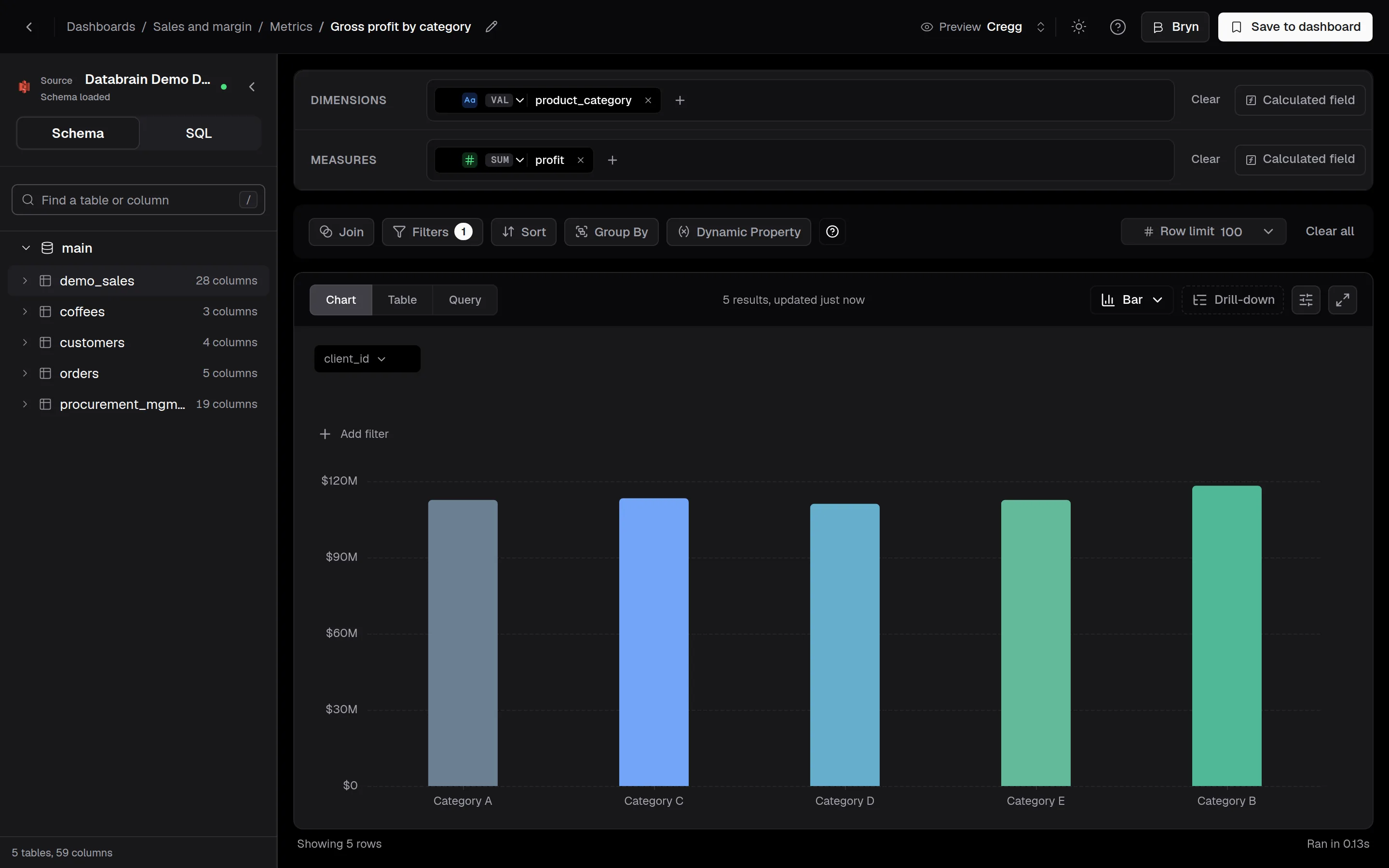
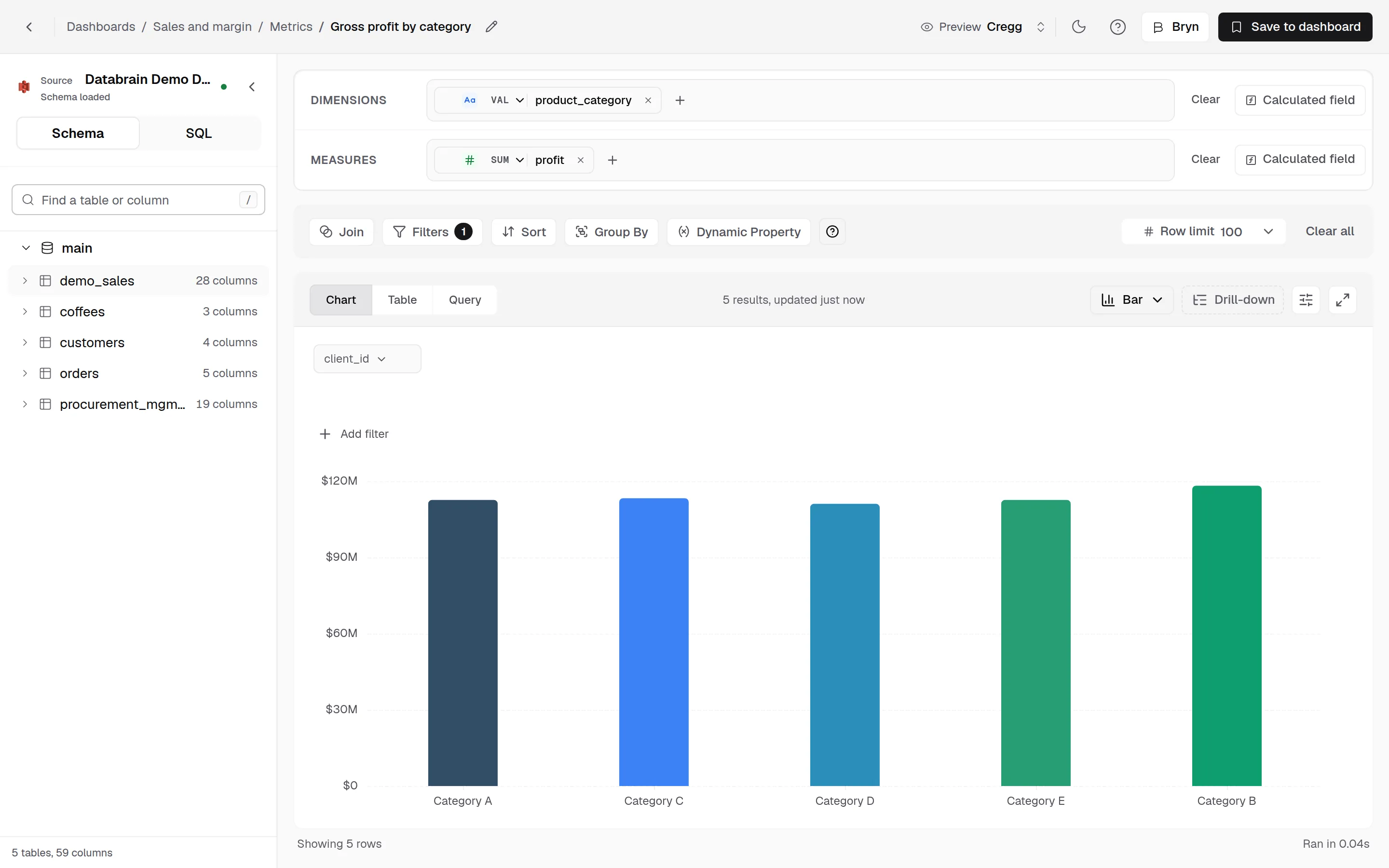
A new interface with dark mode
Every screen rebuilt on one design system, with a new chart engine and dark mode.
Self-service exploration
Drill down, split by any field or see the underlying rows from a chart, with no new metric to build.
White-label embed theming
Match embedded dashboards to your product: live theme preview, one-click contrast fixes and brand themes drafted by Bryn.
MCP server for Claude, ChatGPT and Cursor
Bring governed metrics into the AI tools your team already uses. Sign in with Databrain, pick workspaces, revoke any time.
Custom Chart StudioNew
Build custom chart types in the studio, the CLI or with an AI agent, then publish them to every metric editor in your company.
Ask us to turn on
Environment promotionNew
CI/CD for dashboards. Promote from Dev to Staging to Production, review the diff, check the data and roll back in one click.
Ask us to turn on
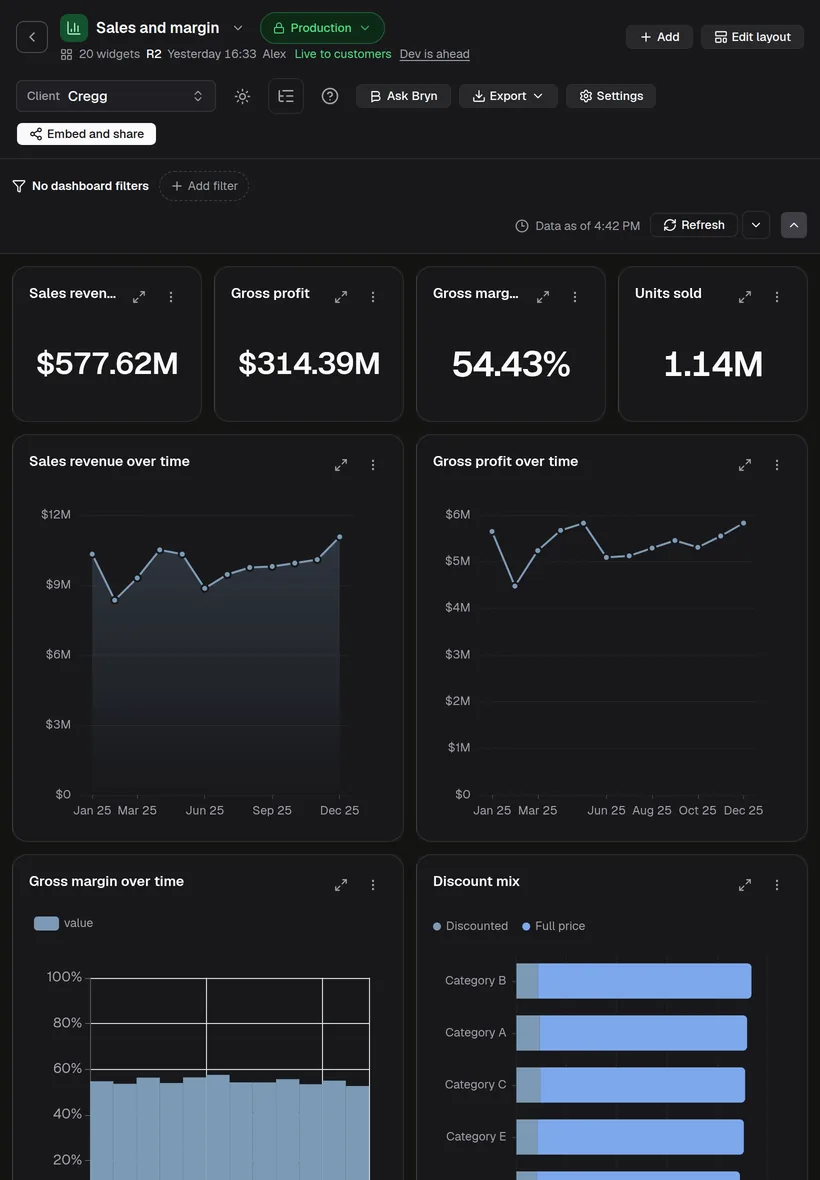
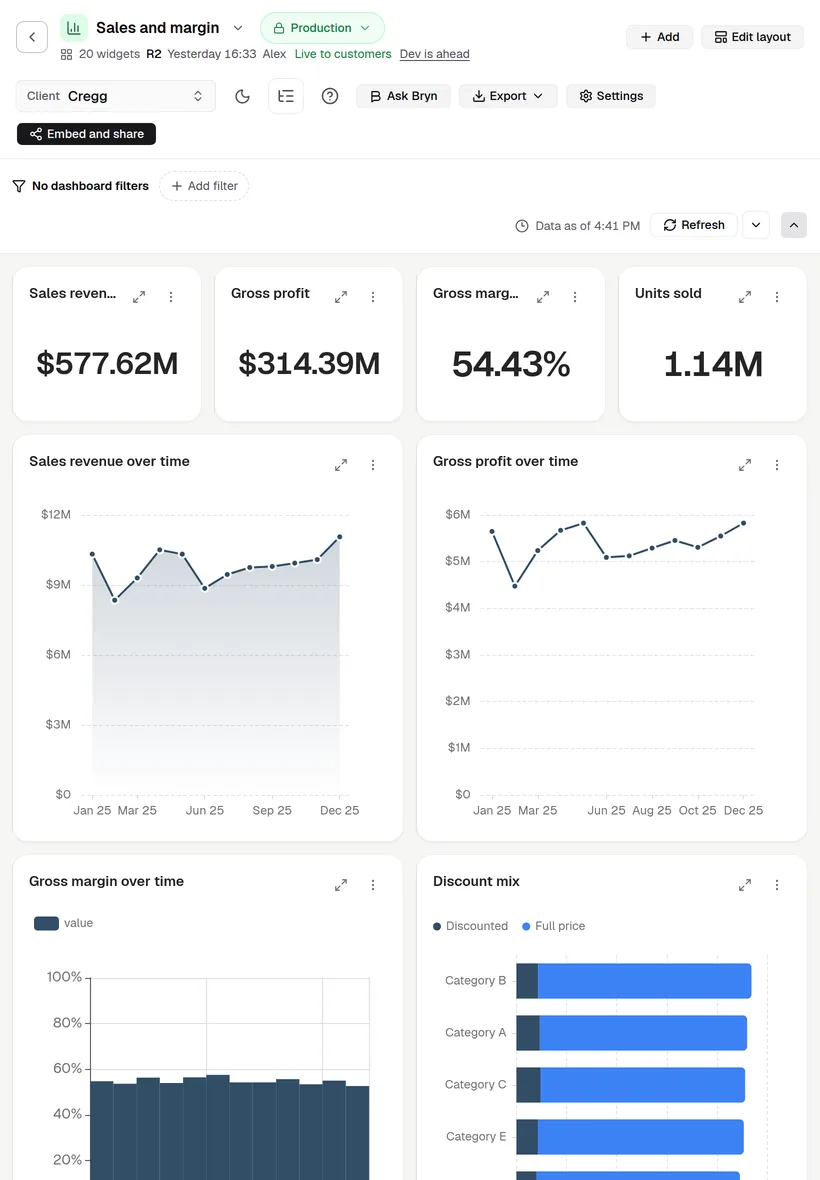
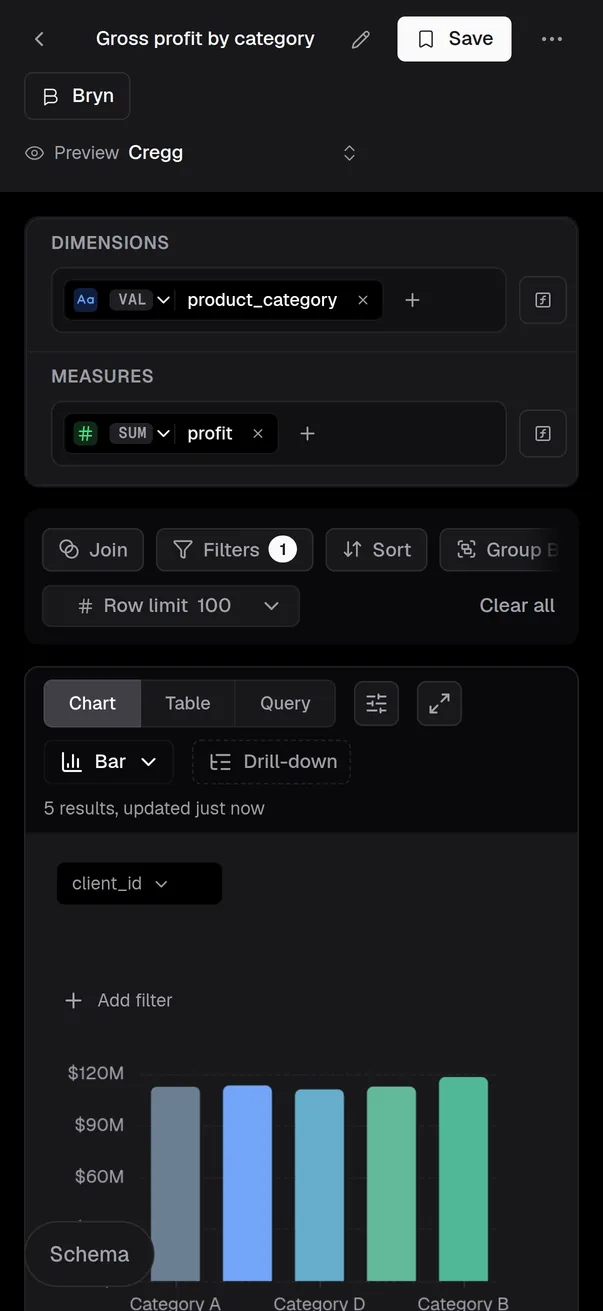
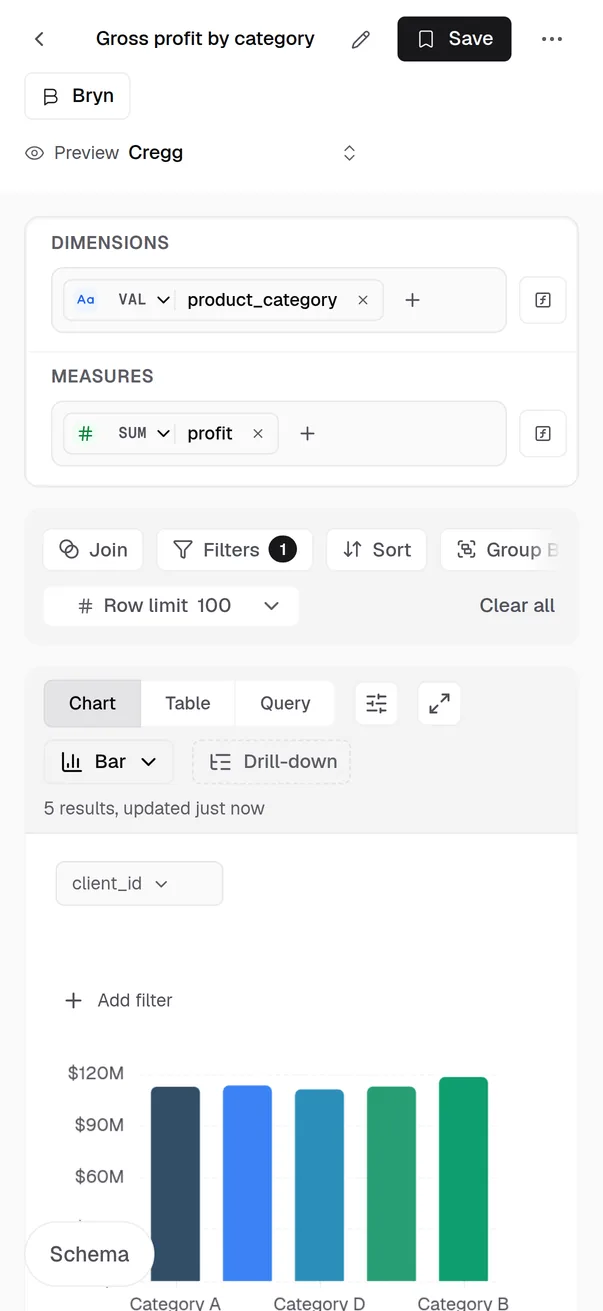
Mobile dashboards
Dashboards, the metric builder and settings work on phone and tablet, in light and dark.
- Plans you can pick yourselfNew
- New teams can sign up and pick a plan themselves, from $39 a month for Solo, with a 14-day free trial. See pricing
Release notes
Bryn, your AI agent
- Bryn beside every dashboardNewAsk about the dashboard you see.
- Answers you can verifyEach answer shows the SQL behind it and marks what Bryn could not check.
- Honest when it can't answerIf Bryn can't answer a question, it tells you why instead of showing an error.
- Choose your LLM and reasoning levelPick the AI model and how hard it thinks, for each workspace and each person.
- Databrain AI or your own LLM keyUse Databrain AI or your own API key. Admins decide, and can switch AI off.
- No lost answersNewIf a response stops halfway, everything Bryn wrote so far stays.
- Notified when answers are readyNewAsk a big question, switch tabs, and get a browser notification when it's done.
Dashboards and charts
- Break down any chart by any fieldNewSee the same data from a new angle without building a new metric.
- Drill down from any data pointClick a point to drill down, split it or copy from it.
- Add a chart anywhereNewClick the plus between any two cards to drop in a new one.
- One dashboard pageView, edit, share and embed a dashboard without leaving the page.
- Smart chart defaultsNewDatabrain picks the chart type, sort and top N for a new chart.
- Empty charts that explain themselvesAn empty card tells you which filter did not apply.
- Pie charts people can readThe top 5 slices stand out, and the rest are grouped together.
- Underlying data, ready to readRaw rows keep your column names and formats, and large tables page.
- PDF exports that match your dashboardYour layout carries into the PDF, and large reports arrive as a link.
- Know how fresh your data isNewEach card shows how old its cached data is.
Embedded analytics
Your embed code does not change.
- One-click contrast fixNewFind hard-to-read colours in your theme and fix them in one click.
- On-brand themes, drafted by BrynNewShare your brand and Bryn creates a matching light and dark theme.
- Every theme control is liveChange any theme setting and see it on a real dashboard straight away.
- Dark embeds that read wellYour theme now reaches tables, menus and the builder.
- Responsive embeds for narrow spacesNarrow frames switch to one column, and tables turn into readable records.
- No endless loadingNewA slow chart says so after 60 seconds and offers Retry.
- Self-service builder for your customersYour end users get the same builder your team uses.
- Errors that name the blocked domainA blocked domain gets an error that names it, so you know what to allow.
- A refreshed embed cardSplit-by and filter chips now appear on embedded charts.
Data and modelling
- Shape fields with a right-clickAggregate, rename or change a field's type from one menu.
- Live data source monitoringA broken connection shows in seconds, and turns green again once it is fixed.
- Errors that tell you what to doErrors show the cause and the next step on screen.
- Easier Postgres setupNewPresets for Supabase and Neon, plus the IP address to allowlist.
- Multi-table joins in embedded analyticsEmbeds can join tables, using only the joins you defined.
- OpenSearch wildcard index supportCharts on wildcard indexes now run and return all rows.
MCP and AI apps
- Secure MCP sign-inConnect Claude, ChatGPT, Cursor or VS Code with your Databrain login. No tokens to manage.
- Governed access per AI appChoose which workspaces each app can see. Your role permissions always apply.
- Revoke AI access in one clickNewSee every connected app in Settings > AI apps and remove any of them.
- Charts right inside the chatNewGet live charts, KPI tiles and dashboard images back in your AI app.
- Control who can connect AI appsNewA role permission decides who can connect apps.
- Clear MCP tool errorsA failed tool call explains what happened, why and what to do next.
Security and admin
- Session managementNewSee every device you're signed in on and sign the others out.
- Stronger sign-in securityNewEncrypted passwords, and a lockout affects only the person locked out.
- Two-factor authenticationUse an authenticator app, with recovery codes as a backup.
- Profile photosNew
- Starred workspacesNewYour stars follow you to every device.
- What's new in the sidebarNew
- AI usage at a glanceNewSee AI credit use by surface and by month.
- Support references on errorsNewErrors show a reference to share with our support team.
- Brand your account onceNewSet your logo, accent colour and typeface in one place.
- Reduce motion settingNew
- Invite links that just workNo reCAPTCHA on invite and password-reset links.
- Company deletion on requestNewRequest deletion, with 7 days to change your mind.
- Audit trail and diagnosticsNewAn audit trail, access checks and a support bundle in one place.Ask us to turn on
- Migration assistantNewFinds risky setups and fixes them for you, with Undo.Ask us to turn on
Reliability
- Missed reports catch upNewIf a scheduled report misses its time, it is sent once afterwards.
- No duplicate alertsNewEach alert and scheduled report is sent once.
- No silent report failuresNewYou get a notice, and the run is marked as failed.
- Downloads cannot stop the serverNew
- Reliable CSV exportsNewExports finish, and a broken ZIP is refused.
- No slowdown when the cache is down
- Imports that finishNewOne bad folder no longer stops the whole import.
- Edit connections without re-entering passwordsNewChange a data source and keep its saved password.
Fixes you will feel
- Errors name the missing columnNew
- Date axes run oldest to newestNew
- Opening a drill level does not saveNew
- Clear all filters clears the URLNew
- Sort Home by any columnNew
New sign-ups
For new accounts. Existing customers keep the contract they agreed.
- A ready-made demo for your industryStart with a sample model, dashboard and embed.
- Guided onboarding by roleNewOne checklist takes you from connecting data to your first embed.
- Free Bryn credits in your trialNew
- Self-serve billingNewChoose or change your plan and see invoices in Settings.
And hundreds of security and data isolation fixes.
Upgrade guide
Very little changes for you. The new Databrain is the same account, with more in it.
- Your data and work
- Your dashboards, metrics, embeds, API keys and data stay as they are.
- Your plan
- You keep the contract you agreed. Your plan, price, limits and terms do not change with the move. There is nothing to buy and nothing to switch.
- Signing in
- Sign in again once after the maintenance. Sessions do not carry over.
- Your embed code
- It does not change. Embeds keep today's look until you choose the new design in the Embed dialog.
- New teams
- Anyone can now sign up and pick a plan themselves, from $39 a month, with a 14-day free trial. See pricing
Scheduled maintenance
Every cloud account is upgraded to the new Databrain automatically on Monday, 23 November 2026, during about 2 hours of scheduled maintenance.
When
Times below are for the start and the end.
| Time zone | Start and end |
|---|---|
| UTC | Mon 23 Nov, 9:15 to 11:15 |
| US Eastern | Mon, Nov 23, 4:15 AM to 6:15 AM |
| US Pacific | Mon, Nov 23, 1:15 AM to 3:15 AM |
| UK | Mon 23 Nov, 9:15 to 11:15 |
| India | Mon 23 Nov, 14:45 to 16:45 |
Before the maintenance
- Save and finish your edits to dashboards and metrics.
- Tell your own users that embedded dashboards are unavailable for about 2 hours on 23 November.
- Move any scheduled report or export that runs during the maintenance to a later time.
Updates after 23 November
From 23 November, new features and fixes ship in the new Databrain. Cloud is upgraded automatically; self-hosted upgrades are scheduled with you.
- Cloud
- Nothing to do. Your account is upgraded automatically during the scheduled maintenance, and you get every update from then on.
- Self-hosted
Your current installation stays as it is on 23 November.
We will reach out to schedule your upgrade, starting the first week of December.
Until then, your current version continues to receive critical security updates.
Questions
- Email us
- support@usedatabrain.com
- Talk to us
- Book a call with our team
- Live status
- status.usedatabrain.com